
September was all about saving you clicks in Listings, Orders, and the Product Catalog. Read on to see everything we've rolled out! 👇
📦 Change Listing Type in Bulk
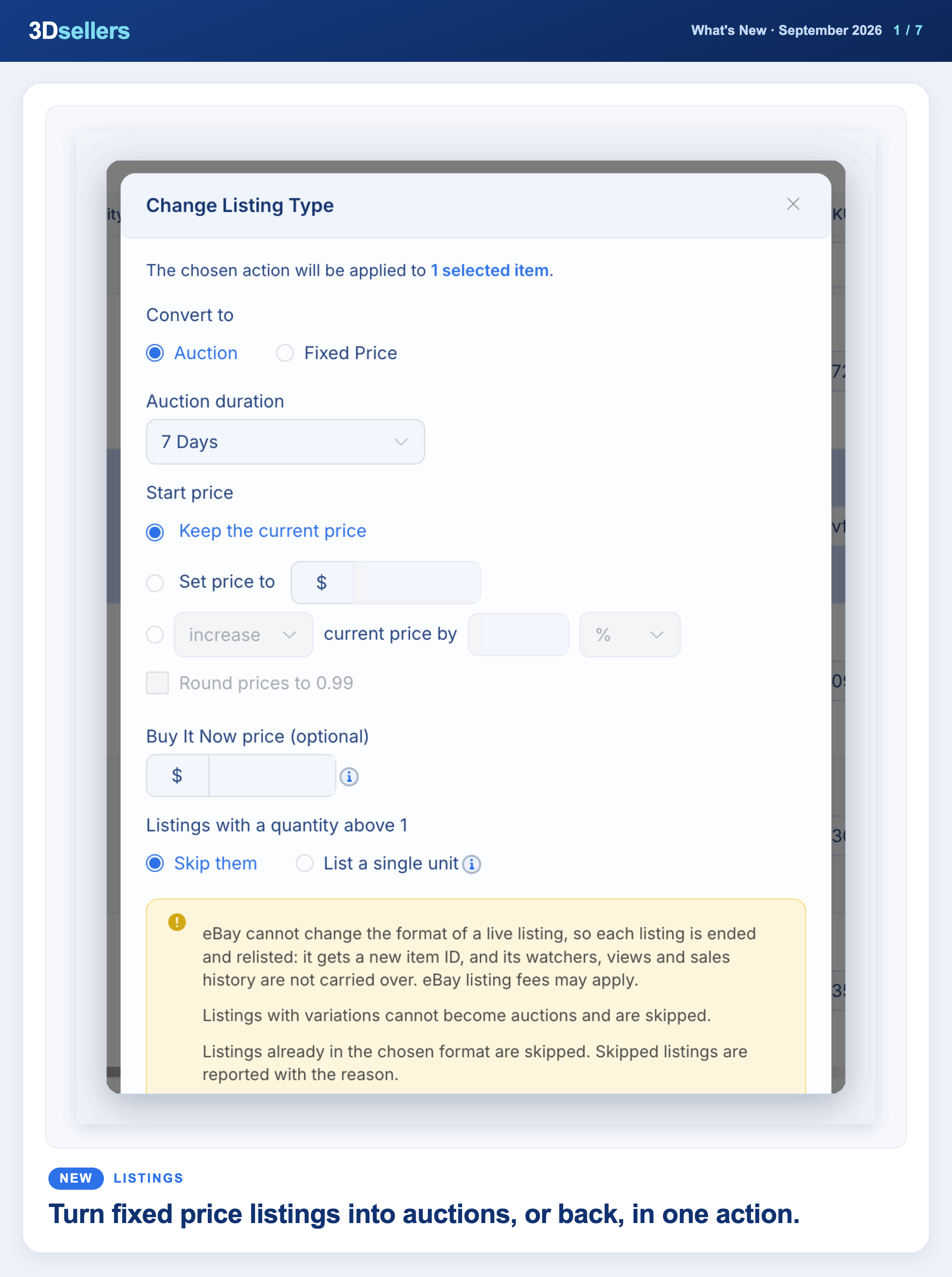
You can now switch eBay listings between Fixed Price and Auction in bulk. Simply go to Bulk Actions > Pricing & Policies > Change Listing Type and set the duration and price. Each listing is ended and relisted under a new item ID.
📖 Step by step: Change eBay listing type: Fixed Price to Auction and back · More about bulk editing eBay listings
🧾 Orders Simple View
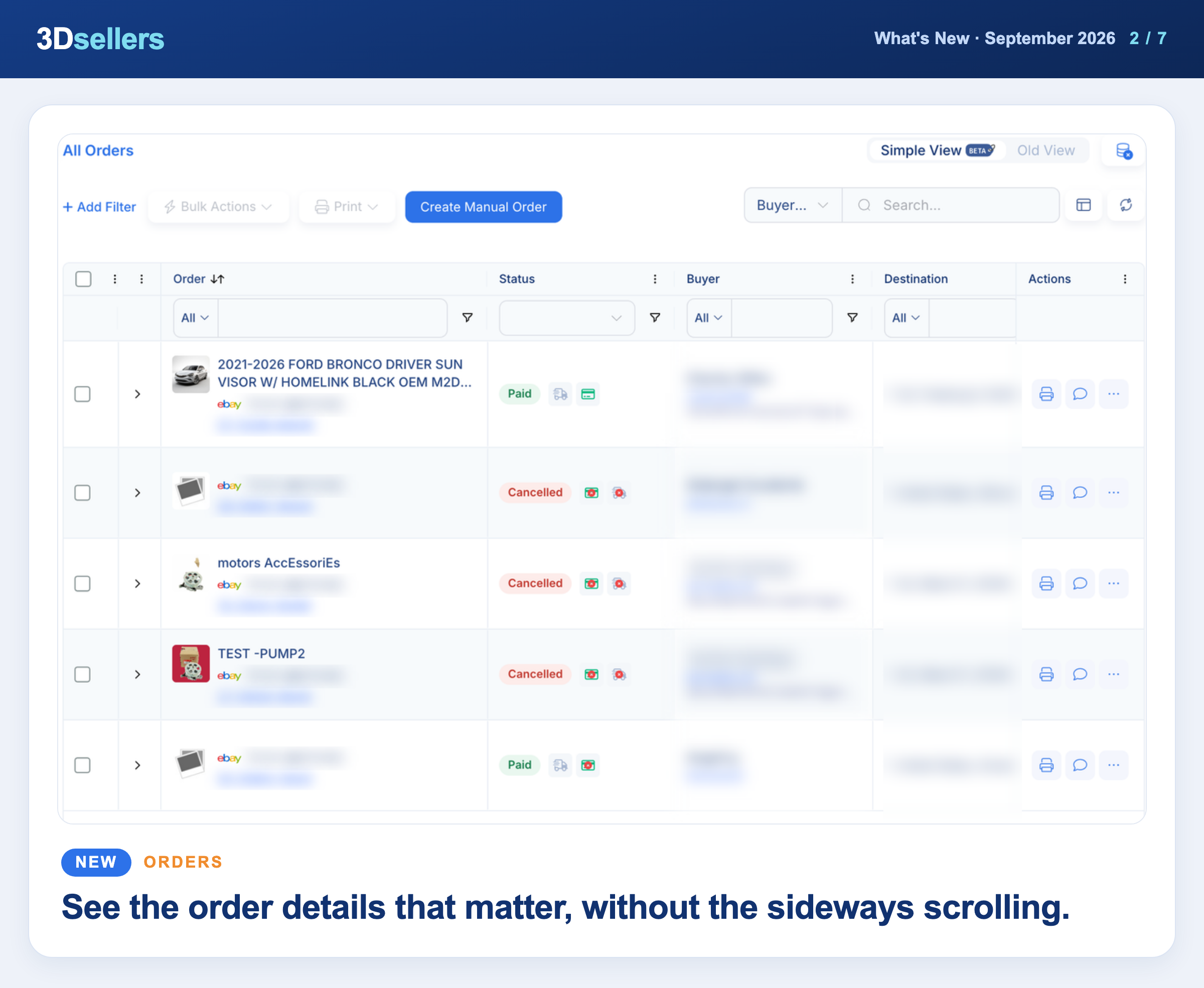
The Orders page has a new Simple View with ten key columns. Expand any order to see its items, buyer details, notes, and activity log, and switch back to Old View anytime.
📖 Step by step: Orders Simple View vs Old View · More about order management in 3Dsellers
Watch: Every eBay Order in One Place with 3Dsellers (2026 Quick Start)
🗂️ Custom Feeds
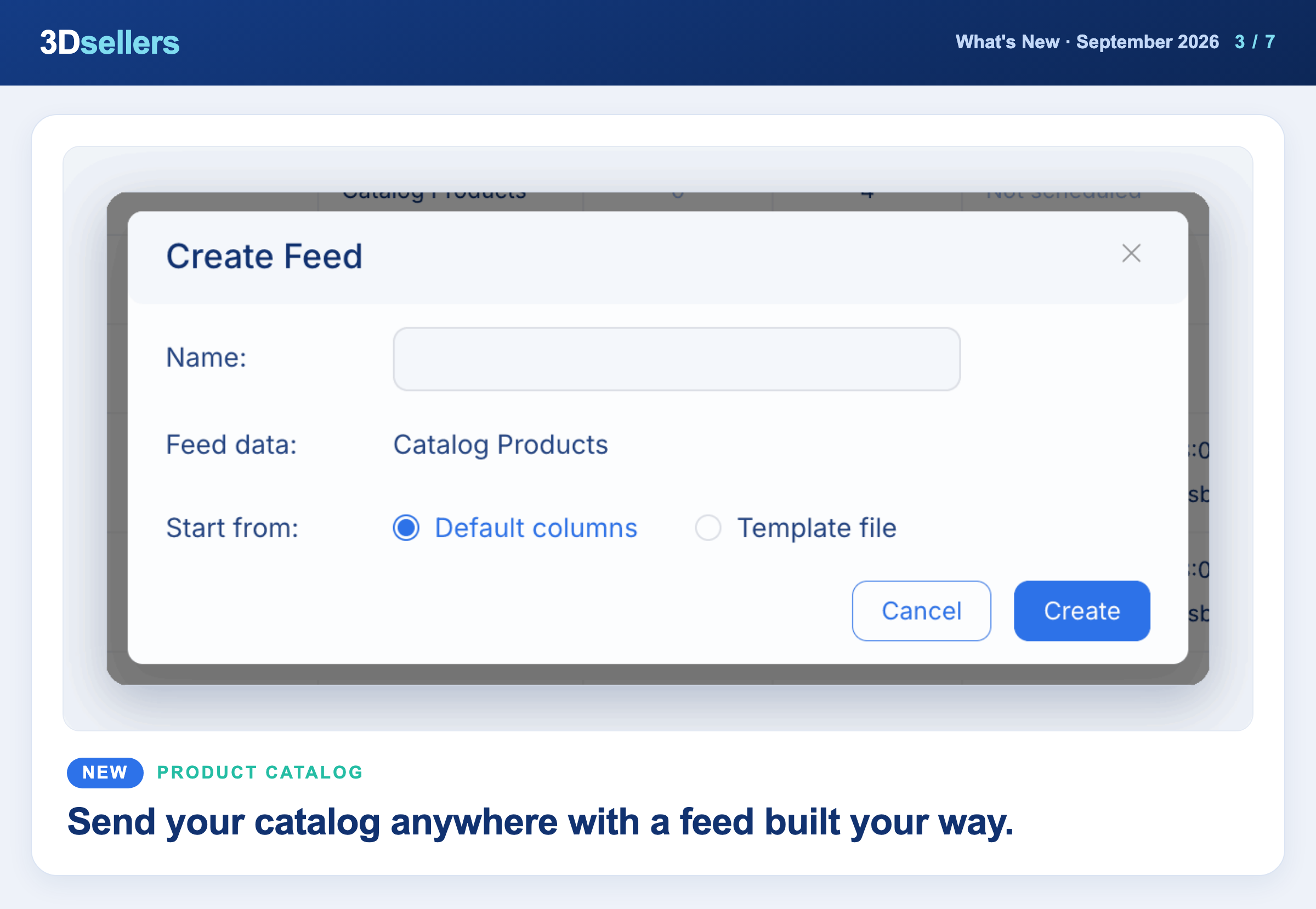
Build your own CSV feed of your catalog products with the columns you choose. Go to Products Settings > Custom Feeds, click Create Feed, then download the file or schedule it daily, weekly, or monthly.
📖 Step by step: Custom Feeds: build and schedule CSV feeds · More about multichannel selling
📦 Import Filters for CSV Files
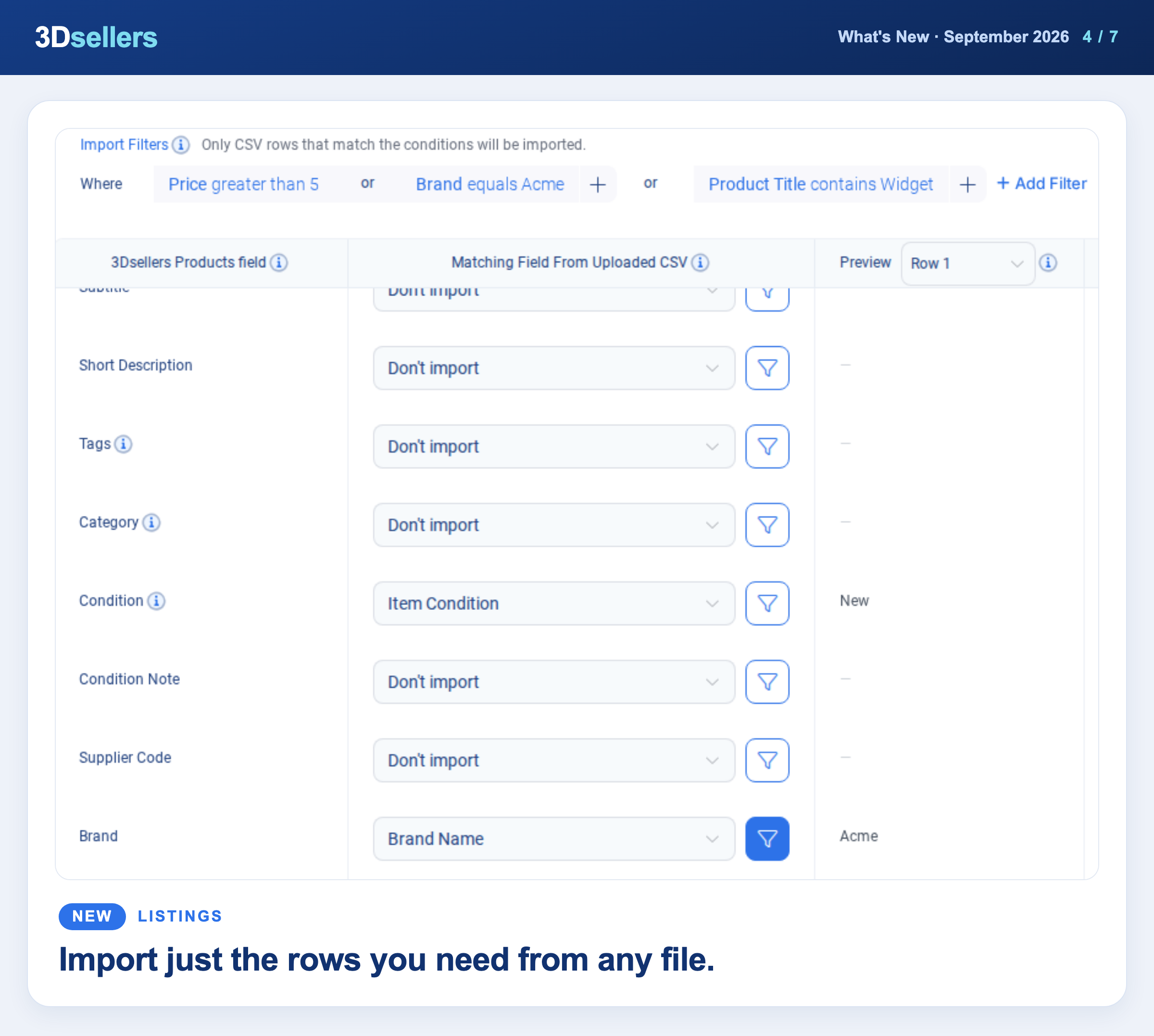
CSV imports now have Import Filters, so you can import only the rows that match your conditions. AI also matches your file's columns automatically when you upload.
📖 Step by step: Import Filters: import only the CSV rows you want
📦 Published and Unpublished Drafts
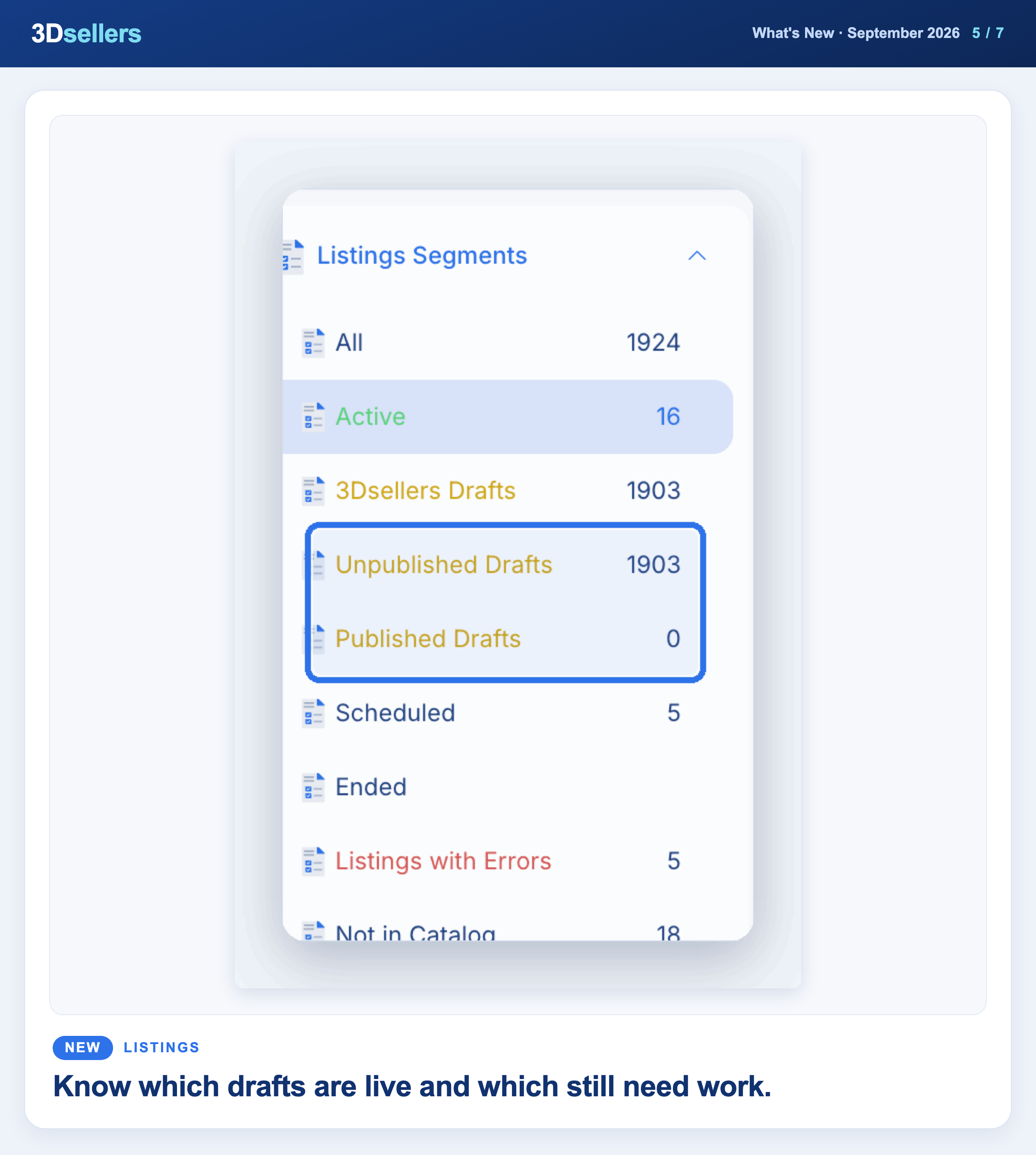
Your drafts are now split into two segments, Unpublished Drafts and Published Drafts. You can tell at a glance which drafts are already live and clean them up in bulk.
📖 Step by step: Listing drafts in 3Dsellers · More about the 3Dsellers eBay lister
⚙️ End Listings Automatically After a Set Number of Days
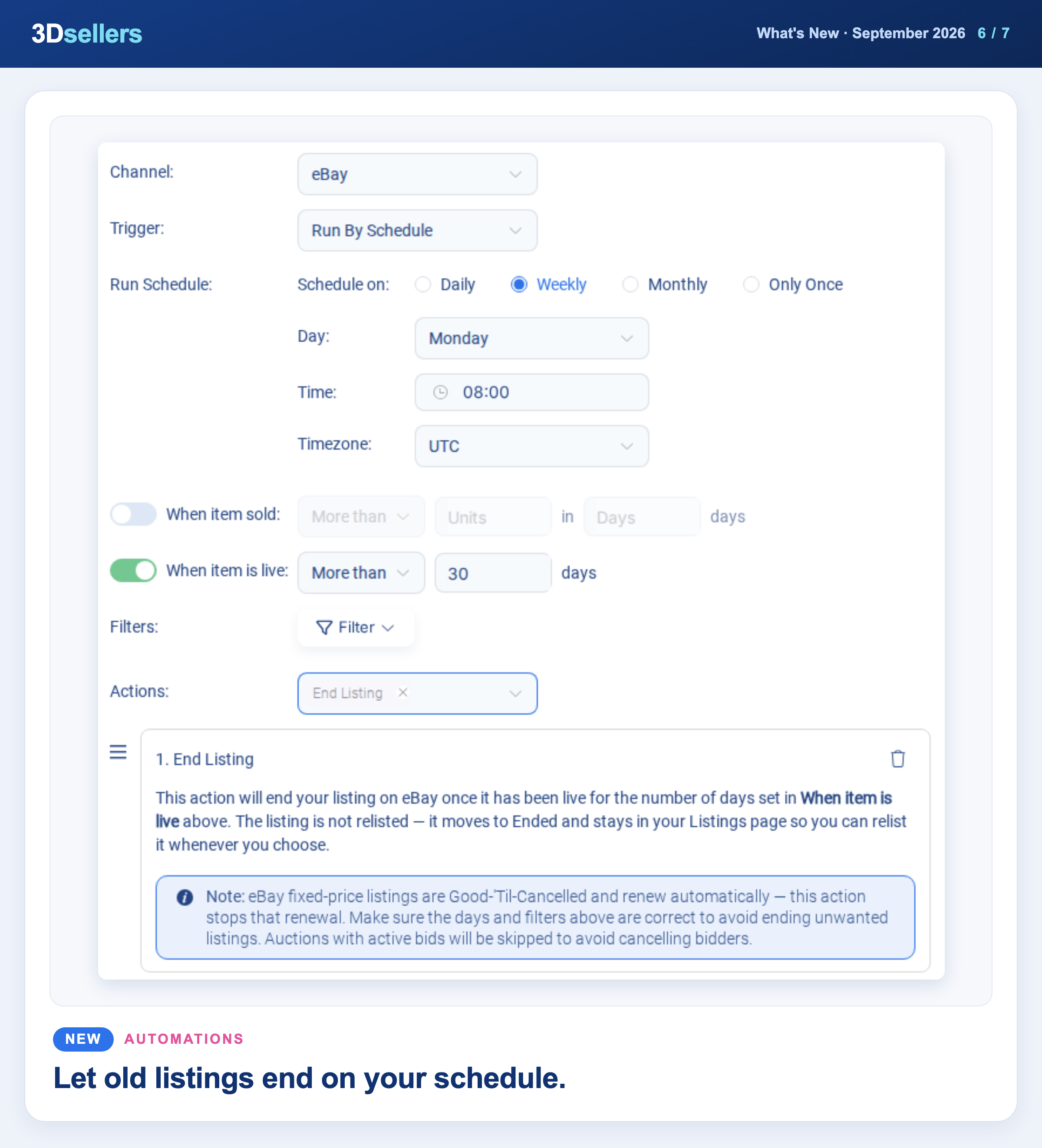
A new End Listing automation action ends eBay listings once they have been live for the number of days you choose, without relisting them. Create an automation with the Run By Schedule trigger and turn on the "When item is live" condition.
📖 Step by step: Listings automation action: End Listing · More about 3Dsellers automations
Watch: 7 eBay Automations That Run Your Store While You Sleep
🤖 Fix Listing Errors with AI
When a listing fails validation in the Simple View editor, a banner now lists the failing fields with a Fix with AI button. In Review AI fixes you can check and edit every suggested value, and nothing changes until you confirm.
📖 Step by step: AI autofill: fix listing validation errors · More about AI tools for eBay sellers
📦 Not in Catalog Segment
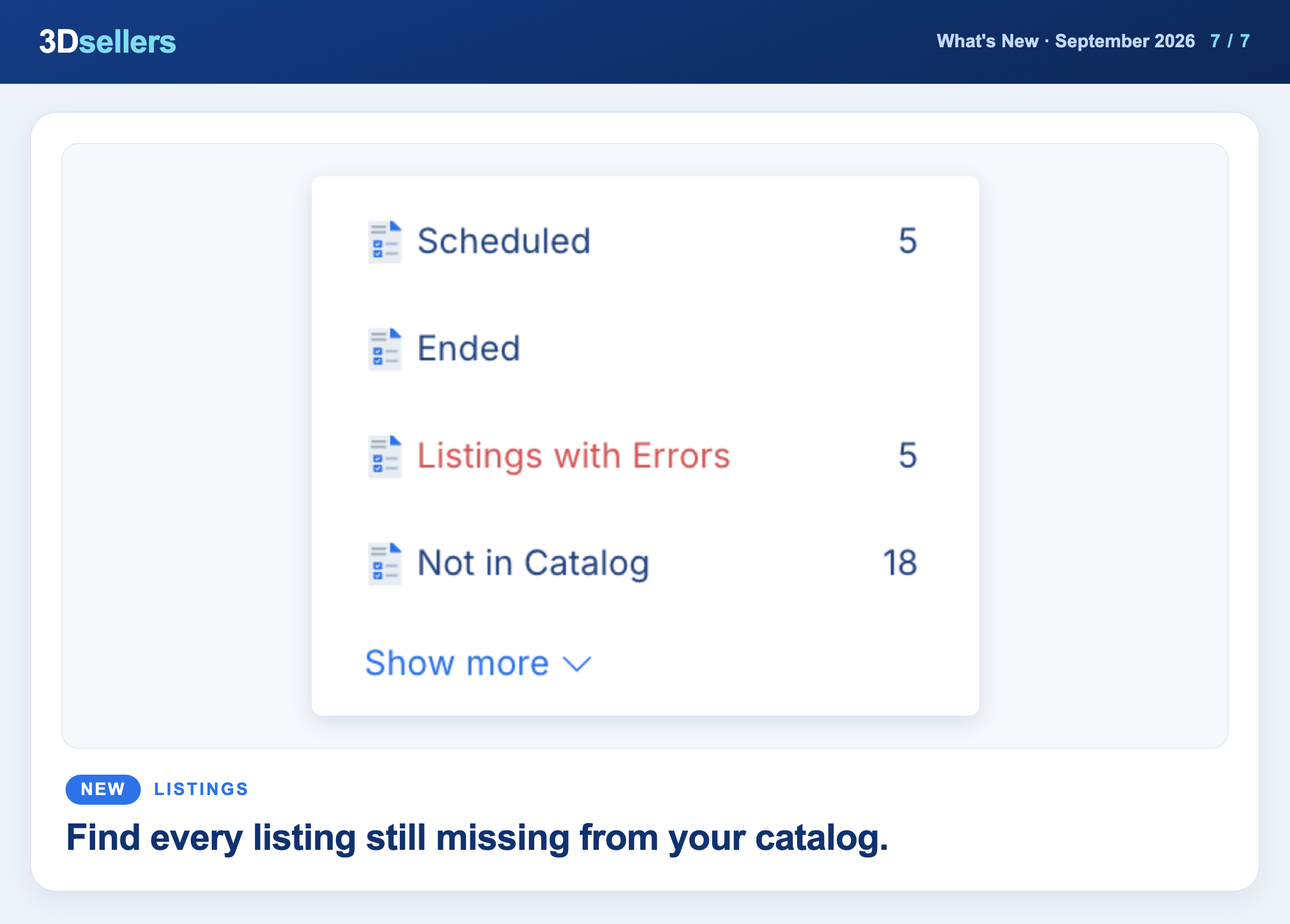
A new Not in Catalog segment shows the listings that are not linked to a catalog product yet, ready for Import Products to Catalog. It appears when the Product Catalog is enabled.
📖 Step by step: Find eBay listings not in your catalog and import them
Everything that changed in September, by tool
📦 Listings
- ✨ New: A new setting deletes a draft automatically once you list it from the editor (Listings > Settings > General > Draft Listings).
- ✨ New: An optional setting stops a draft from publishing when its SKU is already Active on the same account.
- ✨ New: The new Export Vehicle Compatibility To CSV bulk action exports fitment for many listings at once.
- ✨ New: Non-eBay listings get bulk pricing actions: Edit Floor & Ceiling Price for all channels and Edit Price for WooCommerce.
- ✨ New: A new bulk action adds an image to many listings or products without replacing the existing images.
- ✨ New: Custom segments now show their filters when opened, and you can edit those filters right in the Edit Segment popover.
- ✨ New: GPSR manufacturer and Responsible Person details now have a Contact URL field next to Email.
- 🔧 Fixed: On metric eBay sites, the listing editor now defaults to metric units, and drafts reopen with the measurement system you saved.
- 🔧 Fixed: New View keeps your selected eBay account after you save or close a draft.
- 🔧 Fixed: CSV imports now map the VariationImageOption and VariationImage columns, and variation images are no longer dropped in large imports.
- 🔧 Fixed: The All segment no longer counts Ended listings, which keep their own Ended segment.
- 🔧 Fixed: URLs to Listings now accepts more regional Amazon sites, including amazon.ae and amazon.ie.
🗂️ Product Catalog
- ✨ New: BigCommerce mapping templates now include MPN, UPC, GTIN, and Bin Picking Number fields.
📊 Inventory
- ✨ New: Beta: an optional sync setting adds returned eBay and Shopify units back to your catalog quantity.
- ✨ New: A new Create warehouses from channel locations switch lets you stop imports from adding a warehouse for every new ship-from location.
🧾 Orders
- 🔧 Fixed: When eBay refuses feedback you leave for a buyer, the dialog now shows eBay's reason instead of a generic error.
🎨 Listing Designer
- ✨ New: Templates can print your catalog custom attributes on catalog-linked listings, with a searchable attribute picker in the placeholder panel.
- 🔧 Fixed: Applying a template to a listing that already has a 3Dsellers design no longer nests the old design inside the new one.
💬 Helpdesk
- ✨ New: A new Handle By Date dynamic field is available in auto responders, replies, and saved templates.
- 🔧 Fixed: The SLA "time left" indicator now shows on new eBay tickets.
✉️ Auto Messages
- 🔧 Fixed: Turning an Item Shipped message off and on again no longer skips orders shipped shortly before.
🏷️ Offers
- ✨ New: The Accept, Decline, and Counter pop-ups now show the offer details: item, buyer, offer total, and listing price.
🖼️ Image Hosting
- ✨ New: The zip upload limit for auto image assign went up from 200MB to 2GB.
👤 Billing & Account
- ✨ New: New subscribers in the UK and eurozone can now pay in pounds or euros at checkout.
🧩 Public API & MCP
- ✨ New: Helpdesk tickets are now available through the API and MCP: list tickets, read messages, reply, and update status.
- ✨ New: You can mark a Helpdesk ticket as read or unread through the API and MCP.
- ✨ New: The product listings endpoint now returns the warehouse quantity for each listing.
- ✨ New: You can set or adjust the stock of a listing that is not linked to the catalog with one API call.
More What's New updates


3Dsellers newsletter