
October was a big month for AI and inventory tools at 3Dsellers. Read on to see everything we've rolled out! 👇
🤖 Filter with AI
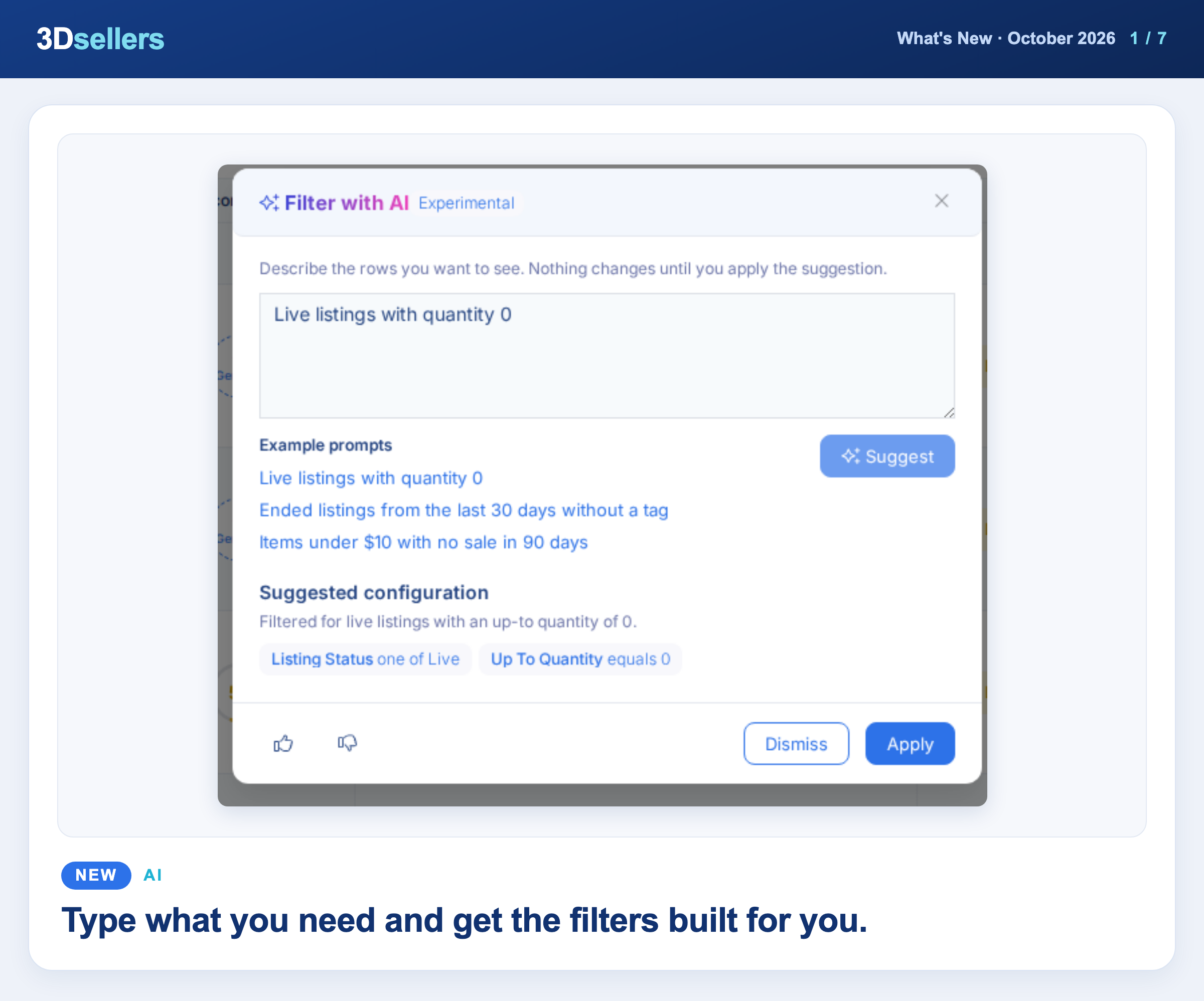
You can now describe the rows you want in plain English. Click Filter with AI next to Add Filter on the Listings, Orders and Catalog tables, review the suggested filters, and press Apply.
📖 Step by step: Filter with AI · More about AI tools for eBay sellers
🤖 Create with Claude
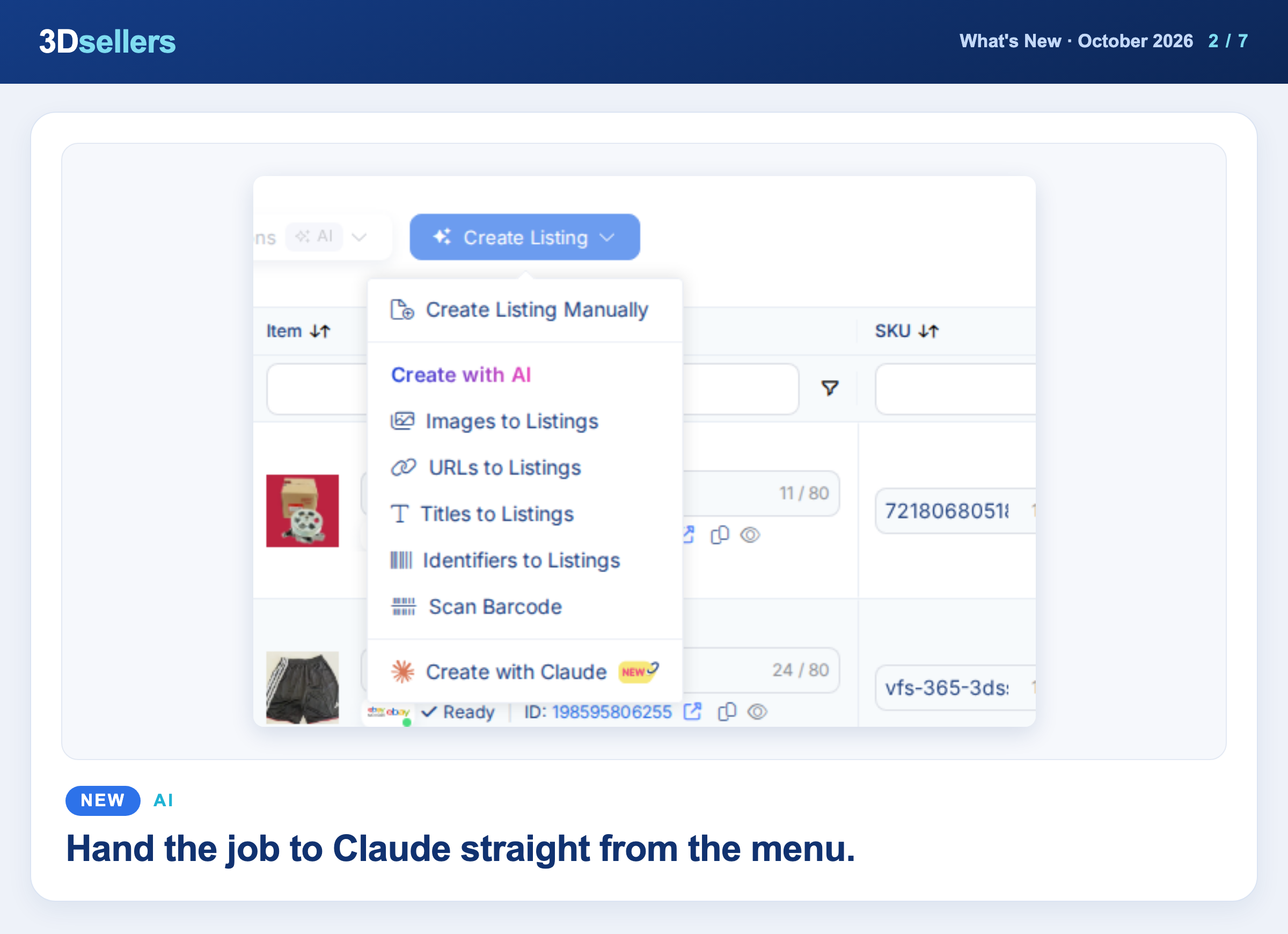
New Claude shortcuts open a chat with your request ready: Create with Claude in the Create Listing and New Product menus, Import with Claude on CSV Import, Build with Claude in Automations, and Ask Claude in Orders. Connect Claude once from Integrations.
📖 Step by step: How to connect Claude to 3Dsellers
Watch: Morning Order Check With Claude and 3Dsellers MCP
📦 Change Values During CSV Imports
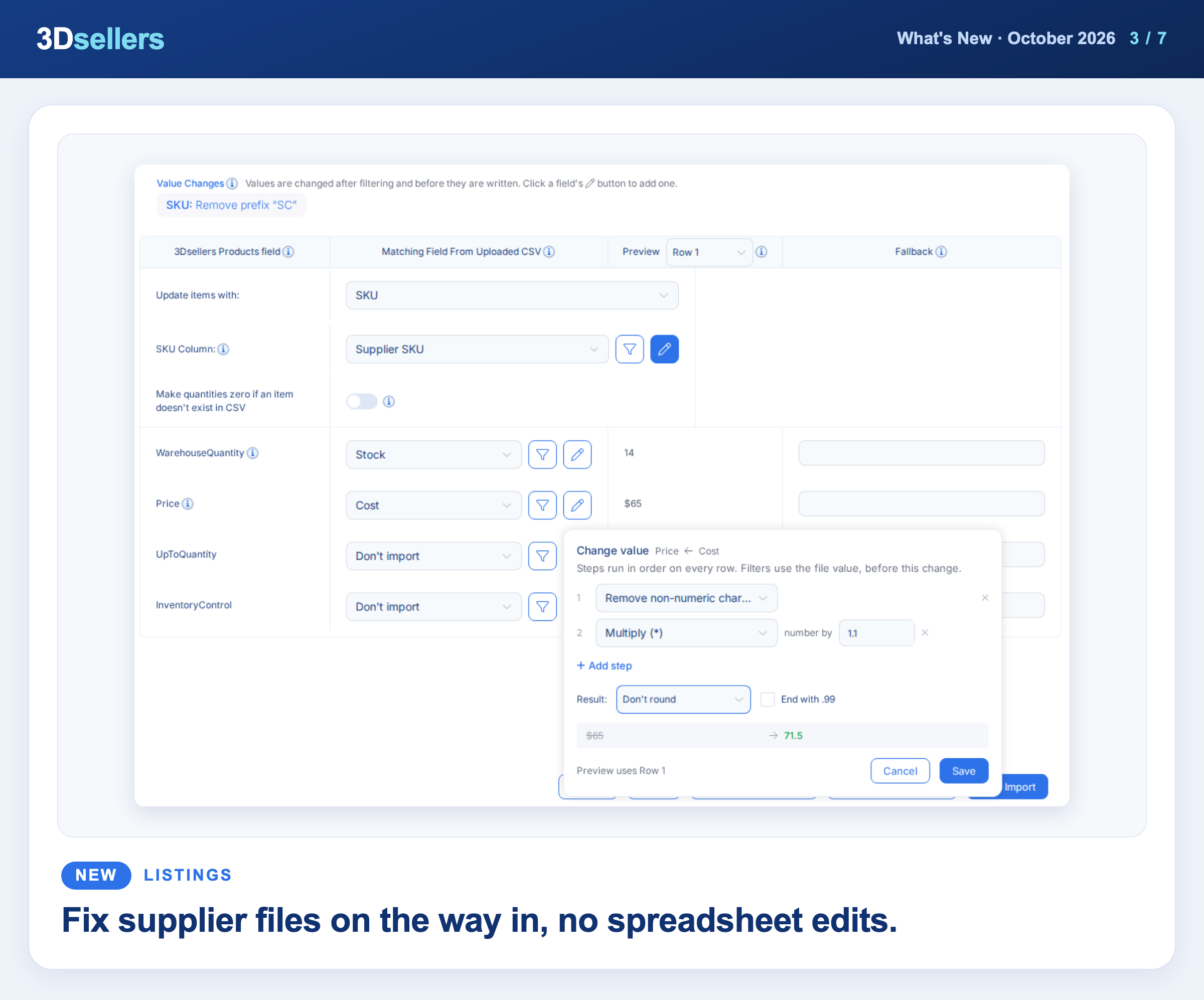
Click the new pen button next to any mapped field in a CSV import or update to remove a prefix, find and replace, or mark up a price, with a live preview. Your changes are saved in Mapping Presets too.
📖 Step by step: Value Changes: edit CSV values before import
📊 Keep Back Units per Channel
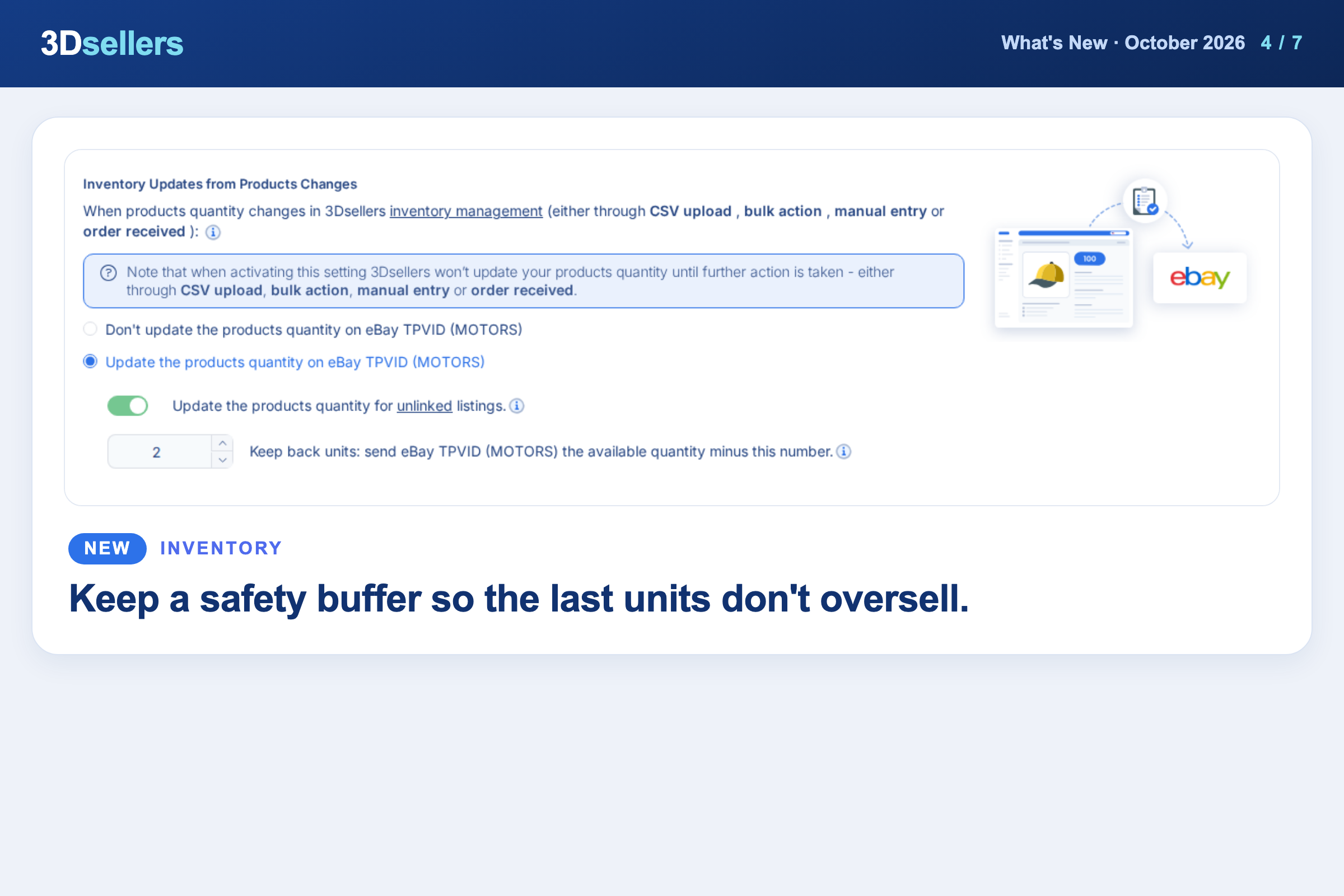
You can now hold back stock from a channel: go to Integrations, open the account's Settings, and set Keep back units. To override it for one product, use Keep Back Qty in the product's Inventory section.
📖 Step by step: Keep back units: safety stock per channel · More about multichannel selling
📦 Default eBay Business Policies
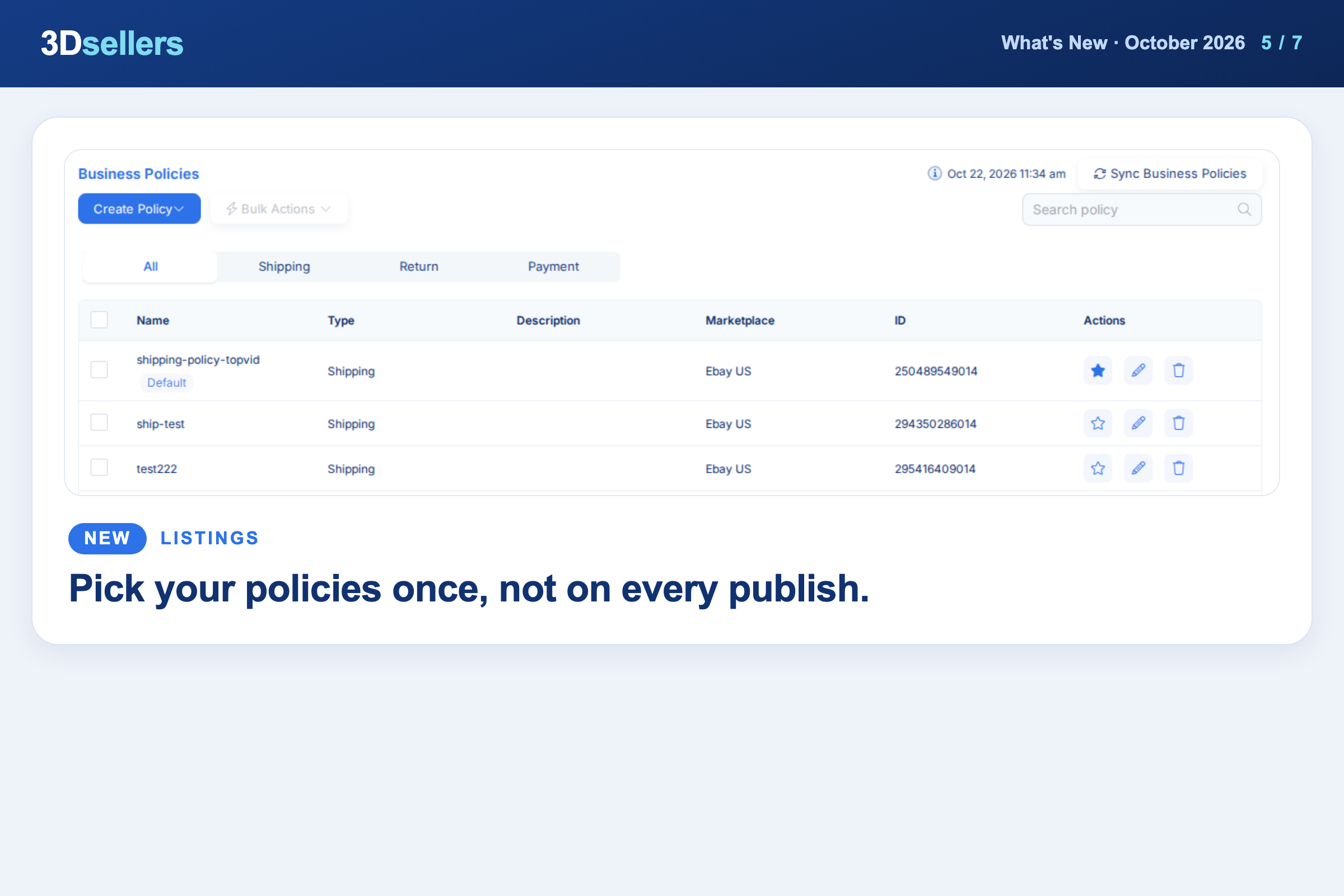
Click the star next to a shipping, return or payment policy on the Business Policies page to make it the default for that eBay account. Your defaults are filled in for you when you publish catalog products to eBay.
📖 Step by step: eBay business policies in 3Dsellers
🤖 Tell the AI More About Your Item
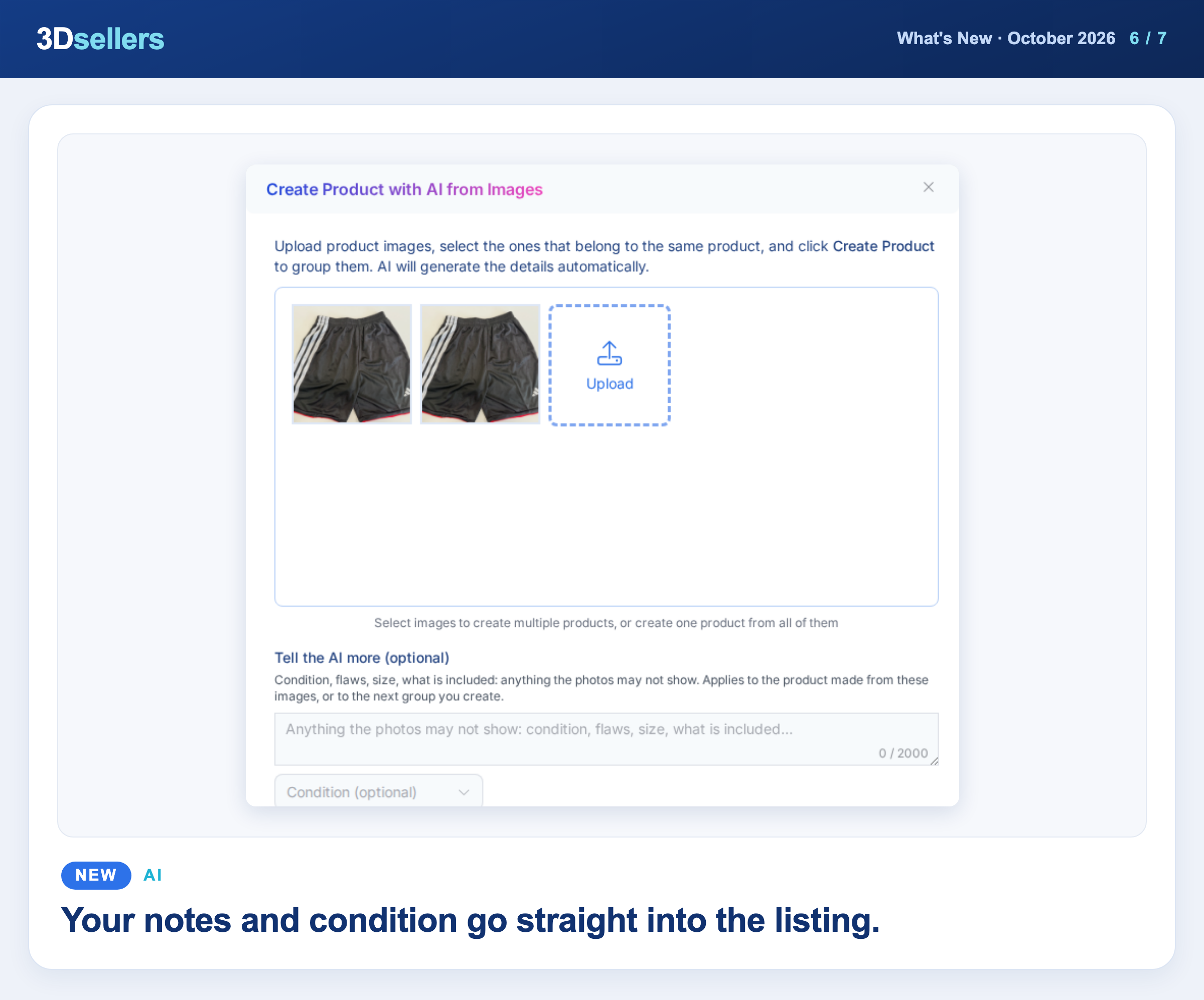
When you create listings or products from images, a new Tell the AI more box lets you add what the photos may not show, like flaws, size, or what is included. You can also pick the condition before the AI writes the listing.
📖 Step by step: How to create new listings with AI
Watch: 5 eBay Listings From Photos in 2 Minutes (AI Does the Typing)
🧾 Mark as Shipped with Tracking
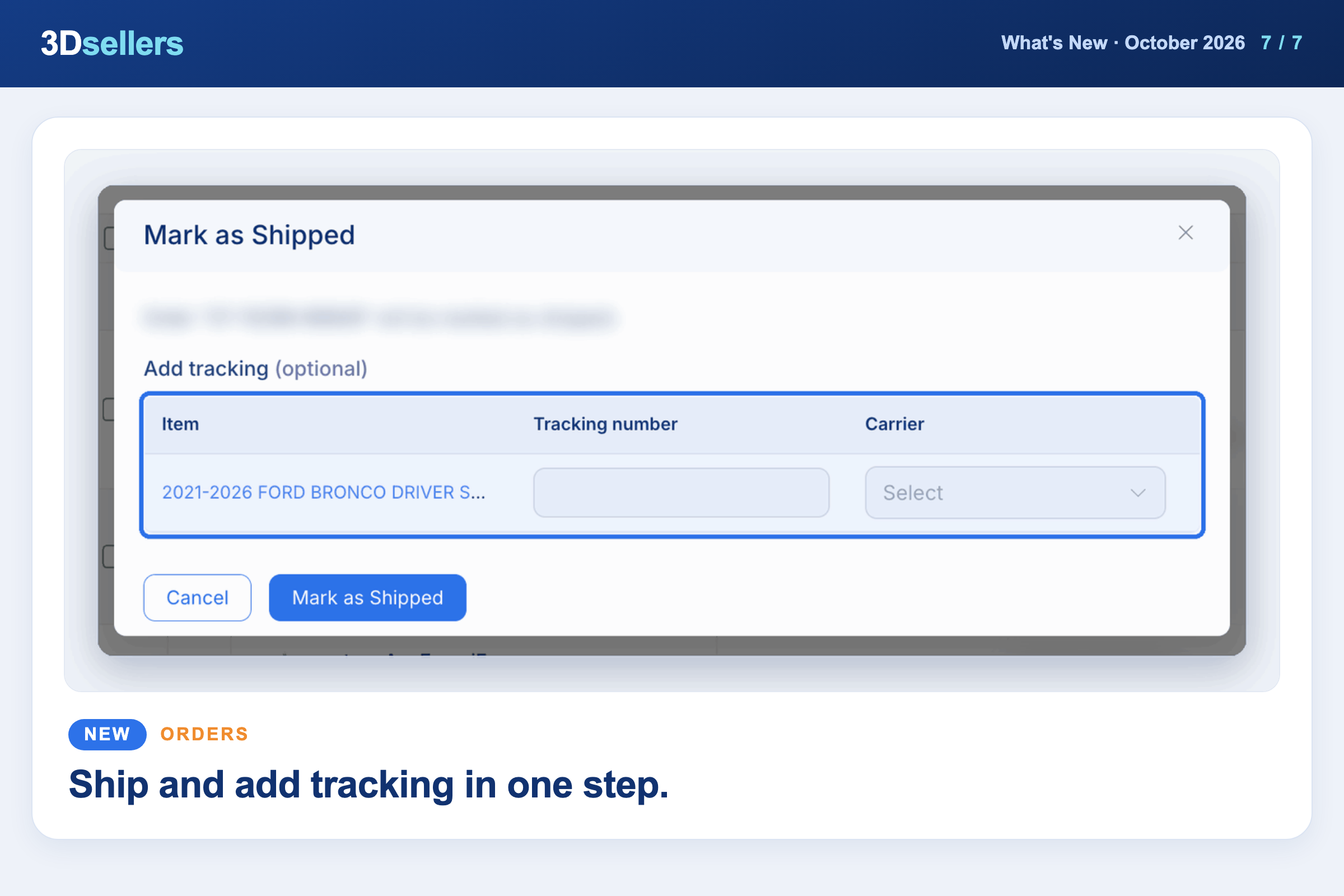
Mark as shipped now opens a dialog where you can add the tracking number and carrier in the same step. Available for eBay and Etsy orders from the order's action menu.
📖 Step by step: Add tracking numbers and mark orders shipped · More about order management in 3Dsellers
Watch: Pack and Ship 30 eBay Orders in One Sitting
🔌 Mirakl Integration (Beta)
You can now connect a Mirakl marketplace store from Integrations using your marketplace URL and API key. Mirakl is in Beta and appears as a channel in your listings and catalog.
📖 Step by step: Connect a Mirakl marketplace store · More about all 3Dsellers integrations
Everything that changed in October, by tool
📦 Listings
- ✨ New: The eBay New View listing editor now includes Sell as a lot.
- ✨ New: Export All Listings to CSV now has a Listing Status filter, so ended listings are only included when you want them.
- ✨ New: After a tag change, the Listings table reloads by itself and keeps your filter, search, page and selected rows.
- 🔧 Fixed: Saving a listing after changing its pictures no longer brings the old photos back on eBay.
- 🔧 Fixed: A video you add in the Media section now appears on the eBay listing.
- 🔧 Fixed: Changing the eBay category of an active listing now updates the listing on eBay.
- 🔧 Fixed: Adding photos in Create Listing no longer fails with a "Resource not found" error.
- 🔧 Fixed: Saving in the Old View no longer erases item specifics you saved in the New View.
🗂️ Product Catalog
- ✨ New: You can now find catalog products that are not listed on any channel yet.
- ✨ New: Copy listings now warns you about duplicate SKUs before the job starts and skips them.
- ✨ New: Publishing catalog products to Walmart now supports key features, required attributes and a warranty URL.
- ✨ New: The BigCommerce mapping template now includes Sale Price and Bulk Pricing.
- 🔧 Fixed: Pressing Apply in Edit Product Variations without changes no longer removes child products.
- 🔧 Fixed: Variation products whose parent has an ASIN now publish to Amazon without the suggested ASIN error.
📊 Inventory
- ✨ New: In Inventory Sync, choose Bulk Actions, then Export Bundles to download your bundles as a file.
- ✨ New: The New View listing editor now has View Logs in the Inventory section, showing the listing's quantity changes.
- 🔧 Fixed: Turning off Up-to Qty now updates the quantity on eBay.
🧾 Orders
- 🔧 Fixed: Shopify tracking numbers now sync back to the channel the order came from.
- 🔧 Fixed: Bulk Send Messages from Orders sends a repeat buyer one message when the duplicate option is on.
💬 Helpdesk
- 🔧 Fixed: Replies you send from eBay Messages now reach the Helpdesk without a long delay.
- 🔧 Fixed: Issue Refund no longer pre-fills the sales tax, so eBay accepts the amount.
✉️ Auto Messages
- ✨ New: You can now create Auto Messages for BigCommerce, WooCommerce and Walmart orders, sent by email.
🎨 Listing Designer
- ✨ New: A new {condition_description} placeholder shows the eBay Condition Description in your template.
- 🔧 Fixed: Your template is now applied on the first eBay publish.
🏷️ Offers
- ✨ New: Offer Manager moved: open it from Marketing, then Offer Manager.
🧩 Public API & MCP
- ✨ New: Your AI assistant can add photos to a listing without replacing the ones already there.
- ✨ New: AI tools connected to 3Dsellers can read the eBay Best Offers you received and each order's Ship By date.
- ✨ New: Get eBay impressions, page views, click-through rate and sales conversion per listing through the API or your AI assistant.
🧭 Chrome Extensions
- ✨ New: The Product Importer browser extension is now available for Firefox.
More What's New updates


3Dsellers newsletter