
August was all about saving you clicks, with new AI design tools, smarter automations, and a wider view of your business. Read on to see everything we've rolled out! 👇
🎨 AI Template Designer
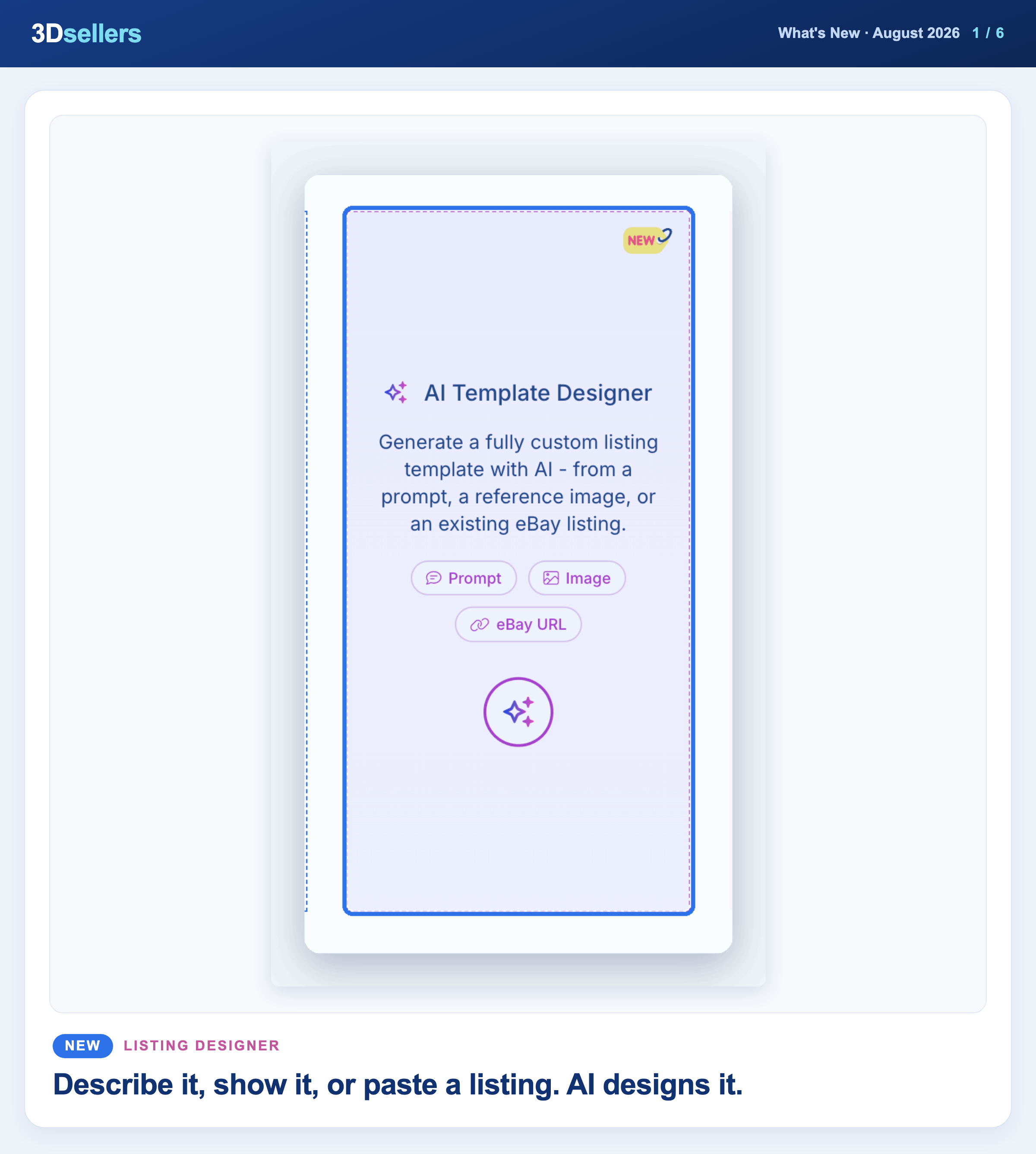
You can now generate a full listing template with AI. Open the AI Template Designer card on the Templates page and start from a prompt, a reference image, or an existing eBay listing, then find the result in Saved Designs.
📖 Step by step: AI Template Designer: create a listing template from a prompt · More about eBay listing templates
Watch: AI eBay Listing Template From a Photo, Prompt or Listing (2026)
⚙️ Automations for New Drafts
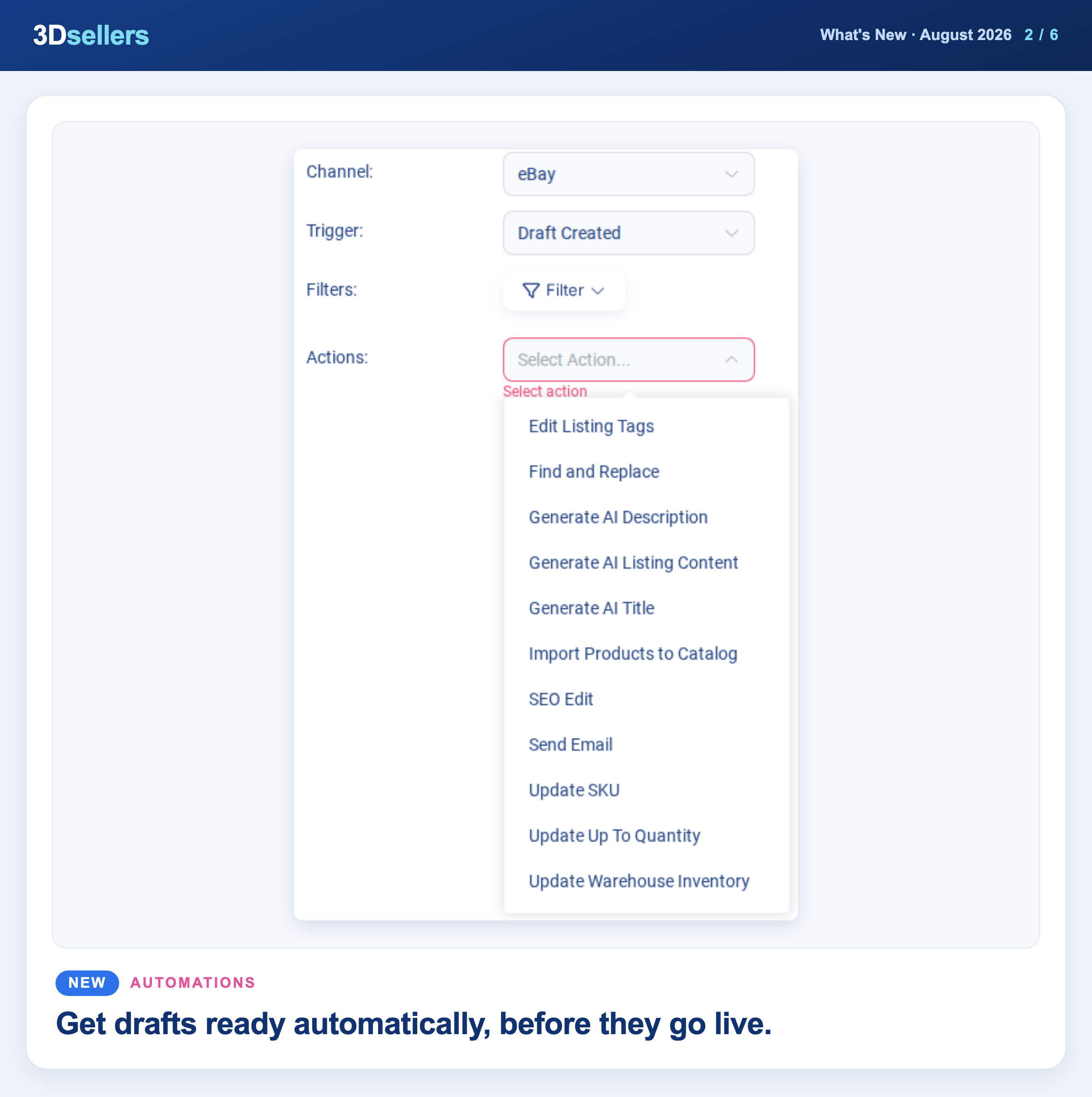
Listing automations have a new Draft Created trigger. Simply pick it under Trigger when you create an automation, and actions like AI titles, AI descriptions, and Update SKU run on every new draft before you publish.
📖 Step by step: Listings automations: complete guide · More about 3Dsellers automations
🏠 All Accounts Dashboard
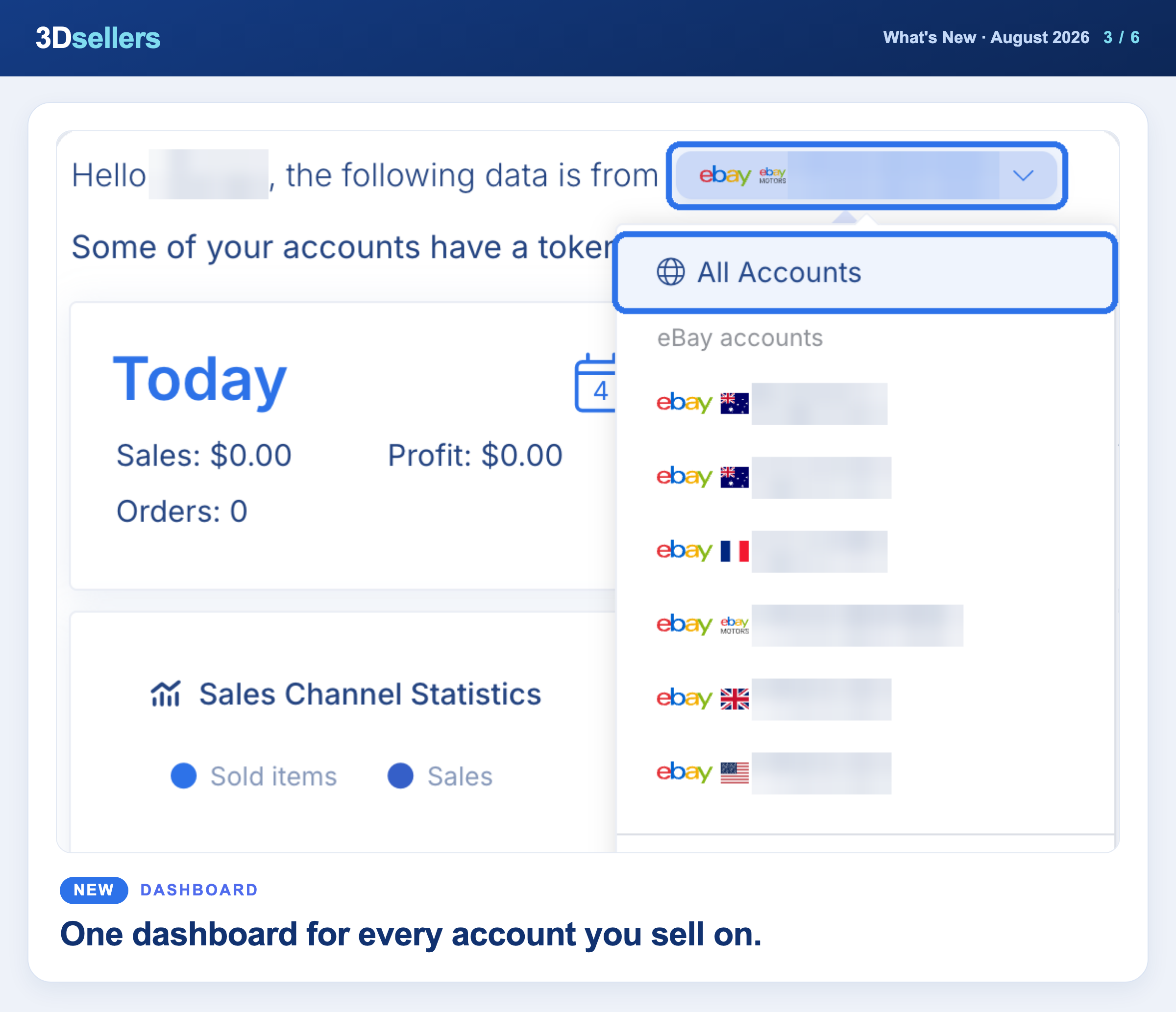
Choose All Accounts in the dashboard account selector to see every connected account together. The sales chart draws one line per account, and Shipment Alerts and Top Selling Products show which account each row belongs to.
More about managing multiple eBay accounts
🎨 Clean Up Descriptions When Applying a Template
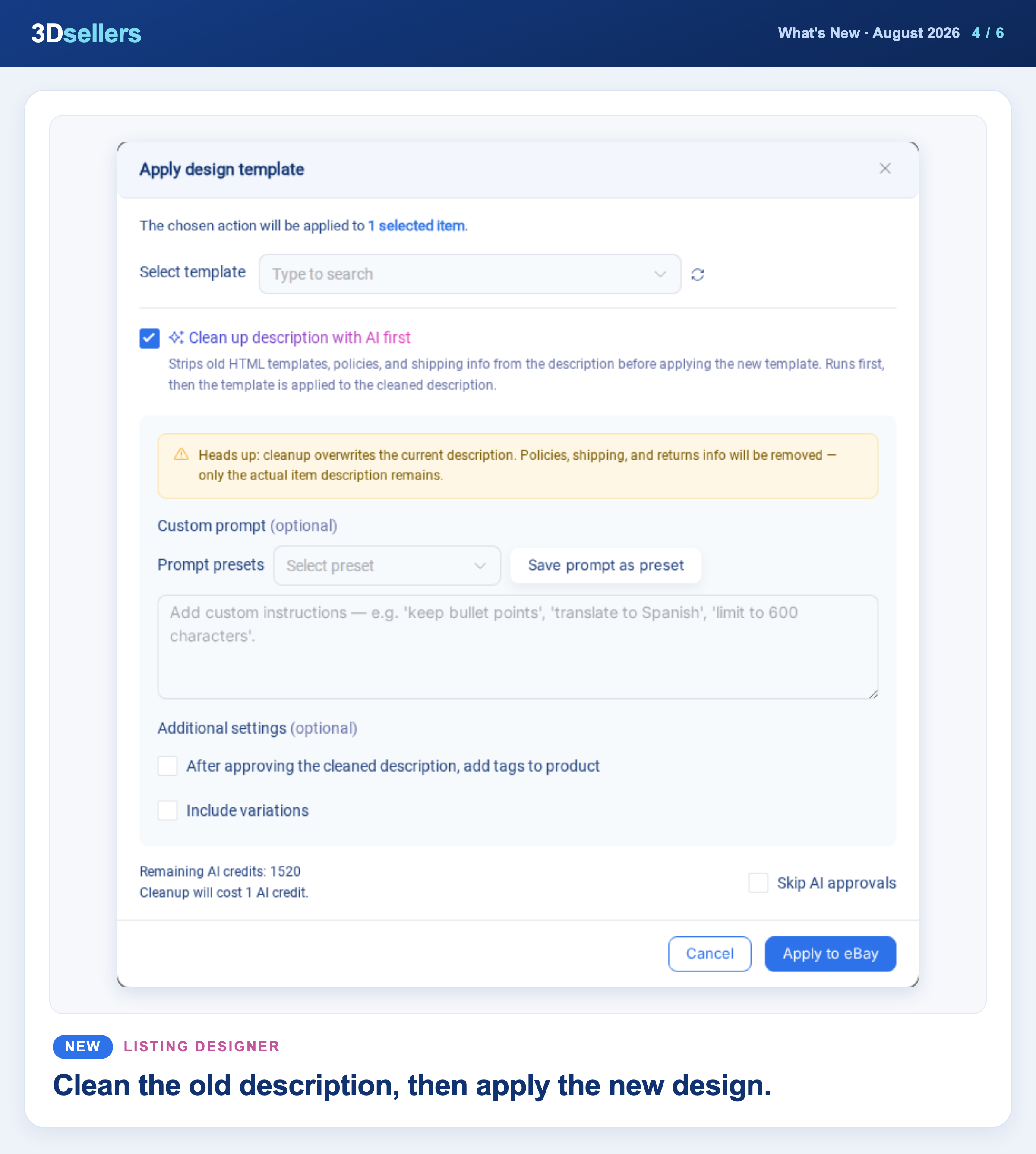
The Apply design template bulk action has a new option, Clean up description with AI first. Changing a template from the Design Template column now also asks you to confirm before anything is applied.
📖 Step by step: Apply, reapply and remove listing designs on eBay
Watch: How to Apply One Template to All Your eBay Listings at Once (2026)
📦 Bulk Edit Variations Inside a Listing
Select variations in the listing editor and use the new Bulk Actions menu to run Edit Price, Edit Warehouse Inventory, or Edit Up To Quantity on just those rows.
📖 Step by step: Edit eBay variations in bulk · More about bulk editing eBay listings
🖼️ Tags in Image Hosting
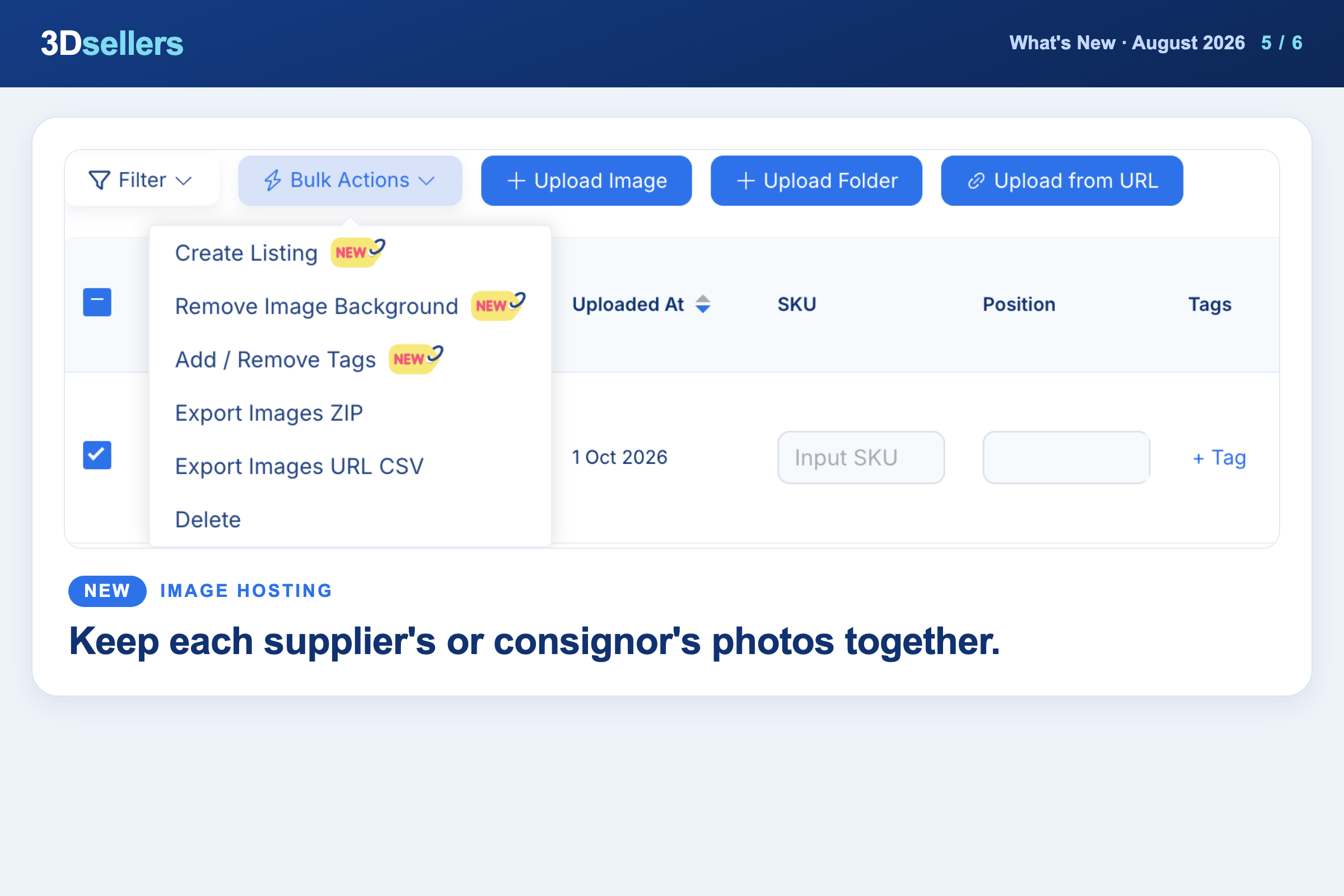
You can now tag images when you upload them, from each row, or with the Add / Remove Tags bulk action. Filter by Tags to see one group, then select all matching images to export or manage them together.
📖 Step by step: Image Hosting tags: find and export listing photos
📦 Bulk Edit Titles and Descriptions on Drafts
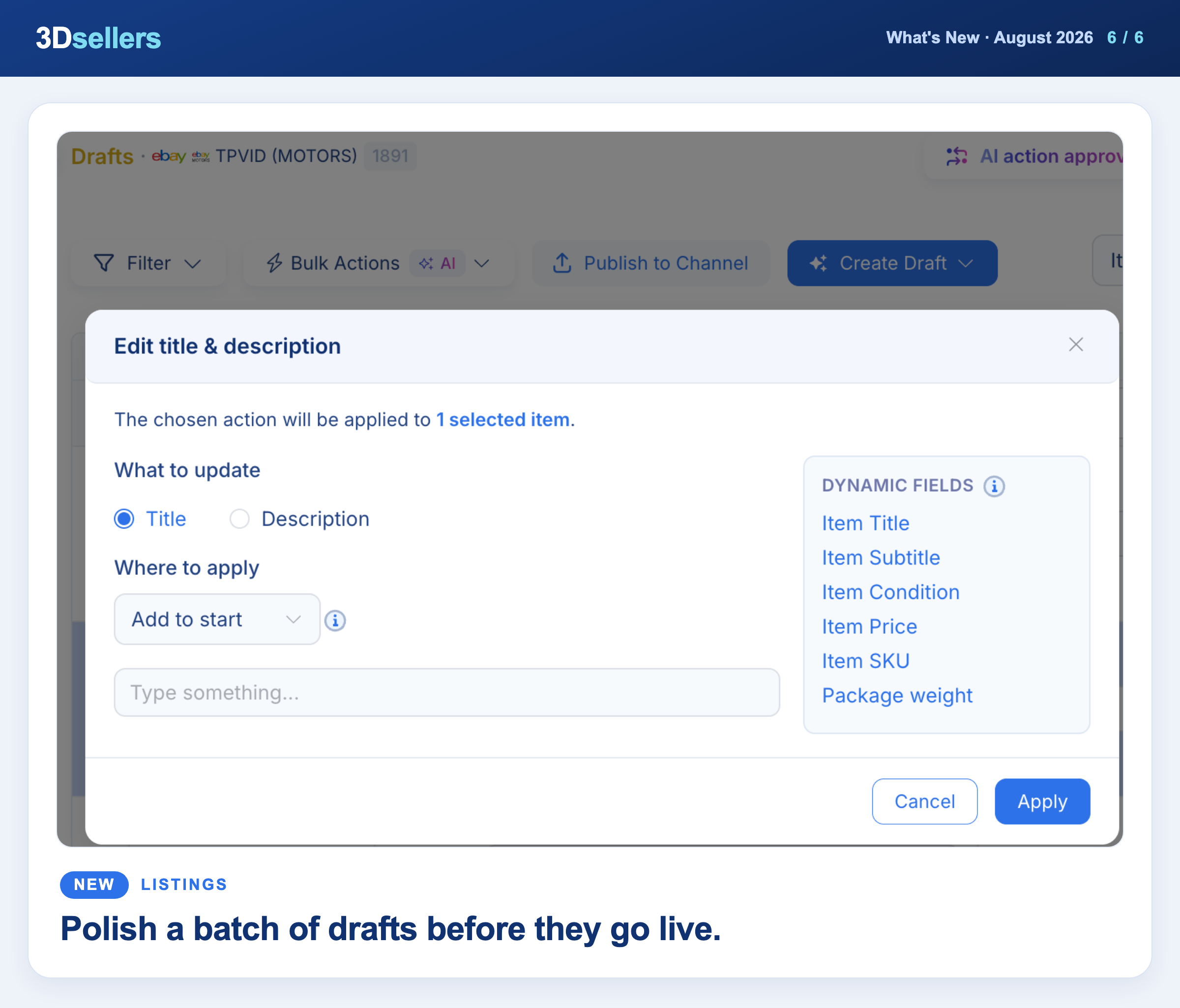
The bulk action for editing titles and descriptions now works on 3Dsellers Drafts too, so you can fix a whole batch of drafts before publishing.
📖 Step by step: Bulk edit titles and descriptions
Watch: Fastest Way to List Hundreds of Items on eBay (3Dsellers)
Everything that changed in August, by tool
📦 Listings
- ✨ New: New Error Description filter finds listings and drafts by the text of their error, and can be saved as a segment.
- ✨ New: New Print SKU Label bulk action prints SKU labels for up to 50 selected listings at once.
- ✨ New: The Edit Package and Location bulk action now also sets package weight and dimensions for many listings or drafts at once.
- ✨ New: A + button next to Shipping Policy in the listing editor lets you create a new shipping policy without leaving the listing.
- ✨ New: You can now stagger scheduled listings by up to 180 minutes, up from 60.
- ✨ New: Ended listings now stay in 3Dsellers for 90 days instead of 60, giving you more time to relist them.
- 🔧 Fixed: The listings table now shows every open error on a listing, newest first, instead of only one.
- 🔧 Fixed: CSV exports now show readable Variation Specifics, such as size and color, instead of [object Object].
- 🔧 Fixed: The listing editor now asks before closing when you click outside it, so your unsaved work is not thrown away.
🗂️ Product Catalog
- ✨ New: New Set/Update Compatibility bulk action applies a saved compatibility preset to many products at once.
- ✨ New: New Set/Update GPSR bulk action adds GPSR details to many products at once.
- ✨ New: New Linked / Unlinked filter shows which products are linked to channel listings.
- ✨ New: The Edit Vehicles window has a new Import CSV button next to Download CSV, so you can edit vehicle lists in a spreadsheet.
- ✨ New: Catalog products have a new Policies section under Additional Channel Specs to save Payment, Shipping and Return policies per eBay account.
- 🔧 Fixed: When a linked eBay listing is relisted, the catalog link now moves to the new live listing, so price and quantity updates keep flowing.
⚙️ Automations
- ✨ New: Price Automation is now available for WooCommerce listings, not only eBay (listings need a Floor and Ceiling Price set).
- ✨ New: New Update SKU automation action gives listings a new SKU built from your SKU template.
📊 Inventory
- ✨ New: Sync New SKU in Inventory Sync now has + Add SKU, so you can add several SKUs at once, each with its own warehouse quantity.
- 🔧 Fixed: Quantity updates now reach eBay for listings that are part of an eBay Sale event.
🧾 Orders
- ✨ New: Invoice and packing slip templates can now use the order number as the barcode and show each item's ePID and Bin Location.
- 🔧 Fixed: The Pick List now follows the order of your Pending Shipment list, newest first, both on screen and in the PDF.
✉️ Auto Messages
- 🔧 Fixed: When several orders ship under one tracking number, every order now gets its shipped message and feedback request, not only the first.
💬 Helpdesk
- 🔧 Fixed: The Add delay for auto responders setting now works, and the auto-reply is skipped if a teammate answers during the delay.
🏷️ Offers
- 🔧 Fixed: The Offers page now shows the SKU on buyer-initiated offers too.
🔌 Integrations
- ✨ New: WooCommerce attribute mapping has a new Brand field that fills WooCommerce's own Brands (WooCommerce 9.6 and later).
- ✨ New: WooCommerce custom fields now import as custom attributes, so you can map them to other channels in Attribute Mapping.
More What's New updates


3Dsellers newsletter