
November has been all about saving you clicks so far. Put variations in order in seconds, let Helpdesk answer routine messages for you, and spot late orders at a glance. Read on to see everything we've rolled out! 👇
🗂️ Reorder and Sort Variations
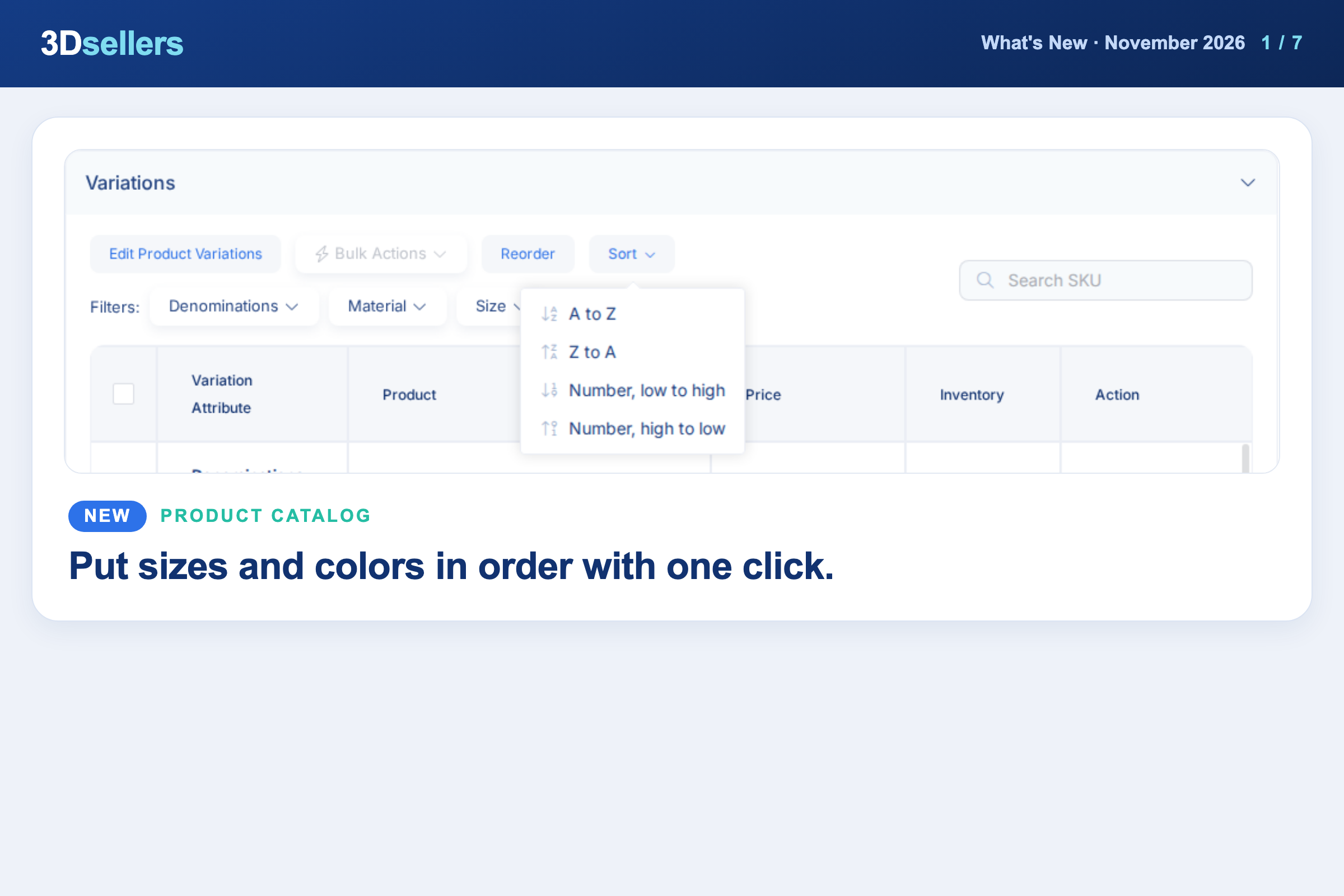
Open a Catalog product, go to Variations and click Reorder to drag options and values into place, or use Sort for A to Z, Z to A or number order. For many products at once, use Bulk Actions, Content, Sort Variations.
📖 Step by step: Create and manage product variations in the Catalog
Watch: eBay Variations and Multi-Quantity Listings Without Overselling
💬 AI Auto-Replies in Helpdesk
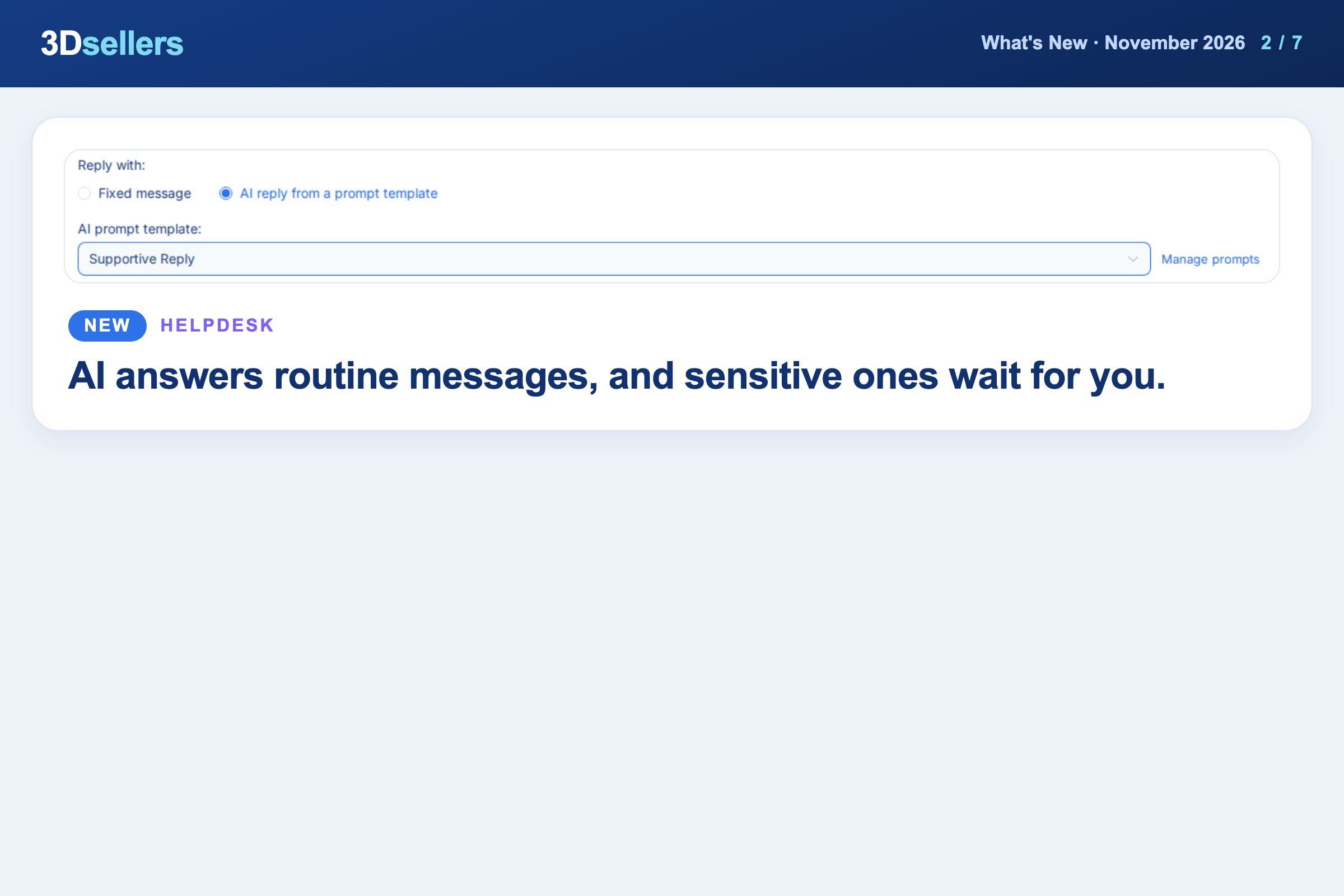
Auto responders can now answer with AI on the Helpdesk Professional plan: in Helpdesk, Auto Responders, choose "AI reply from a prompt template". Refund, return, cancellation, compensation and discount requests are not sent; the draft waits as a note, tagged "AI review".
📖 Step by step: AI auto responder: send AI replies, hold refunds for review · More about the 3Dsellers Helpdesk
🧾 Find Overdue Orders
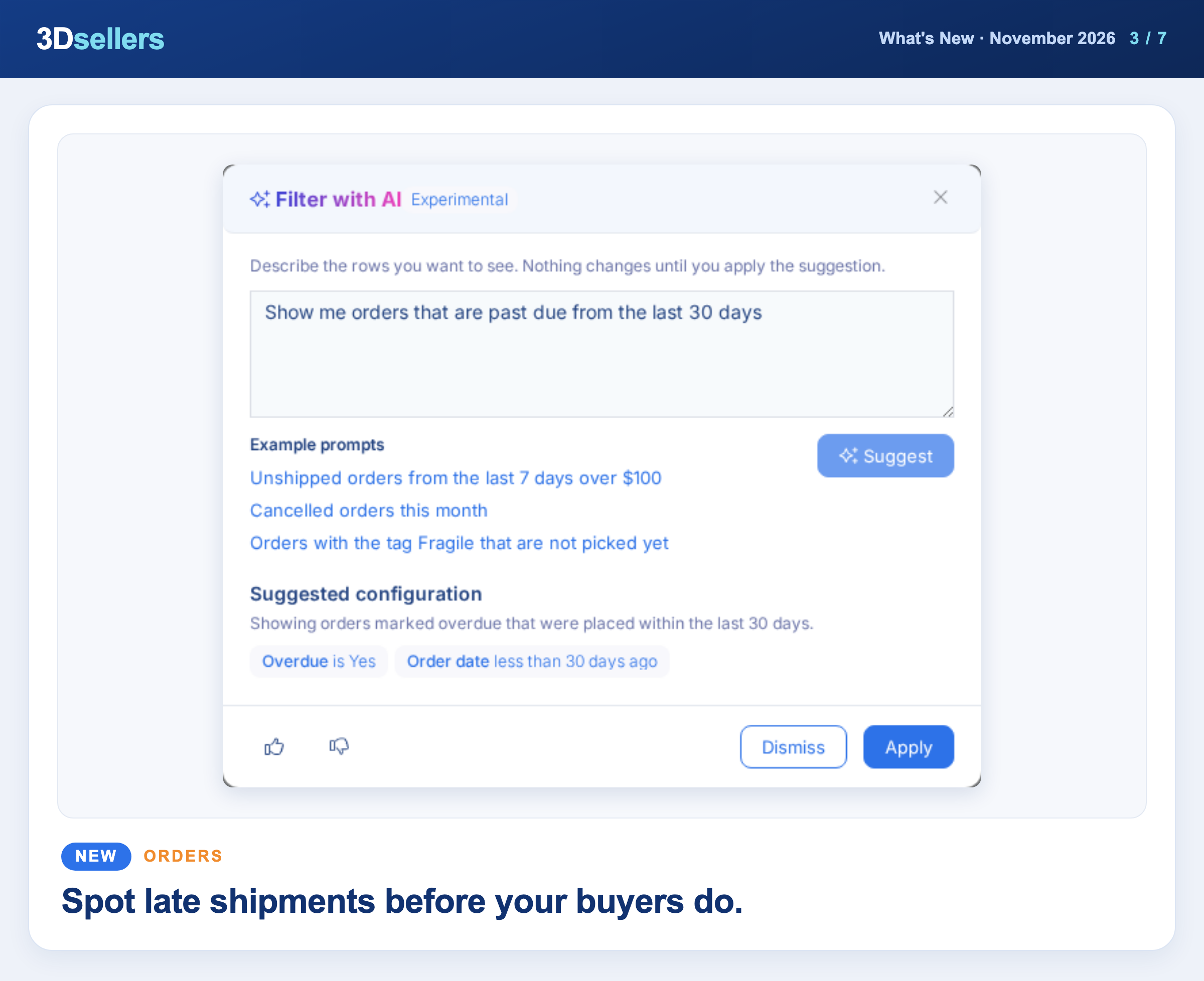
The Orders Manager has a new Overdue filter for orders whose ship-by date has passed and that are not shipped or cancelled. Click Add Filter and pick Overdue, or type "orders that are past due" in Filter with AI.
📖 Step by step: Orders filters, search and custom segments · More about order management in 3Dsellers
Watch: Every eBay Order in One Place with 3Dsellers (2026 Quick Start)
📦 End a Listing After 30 Days
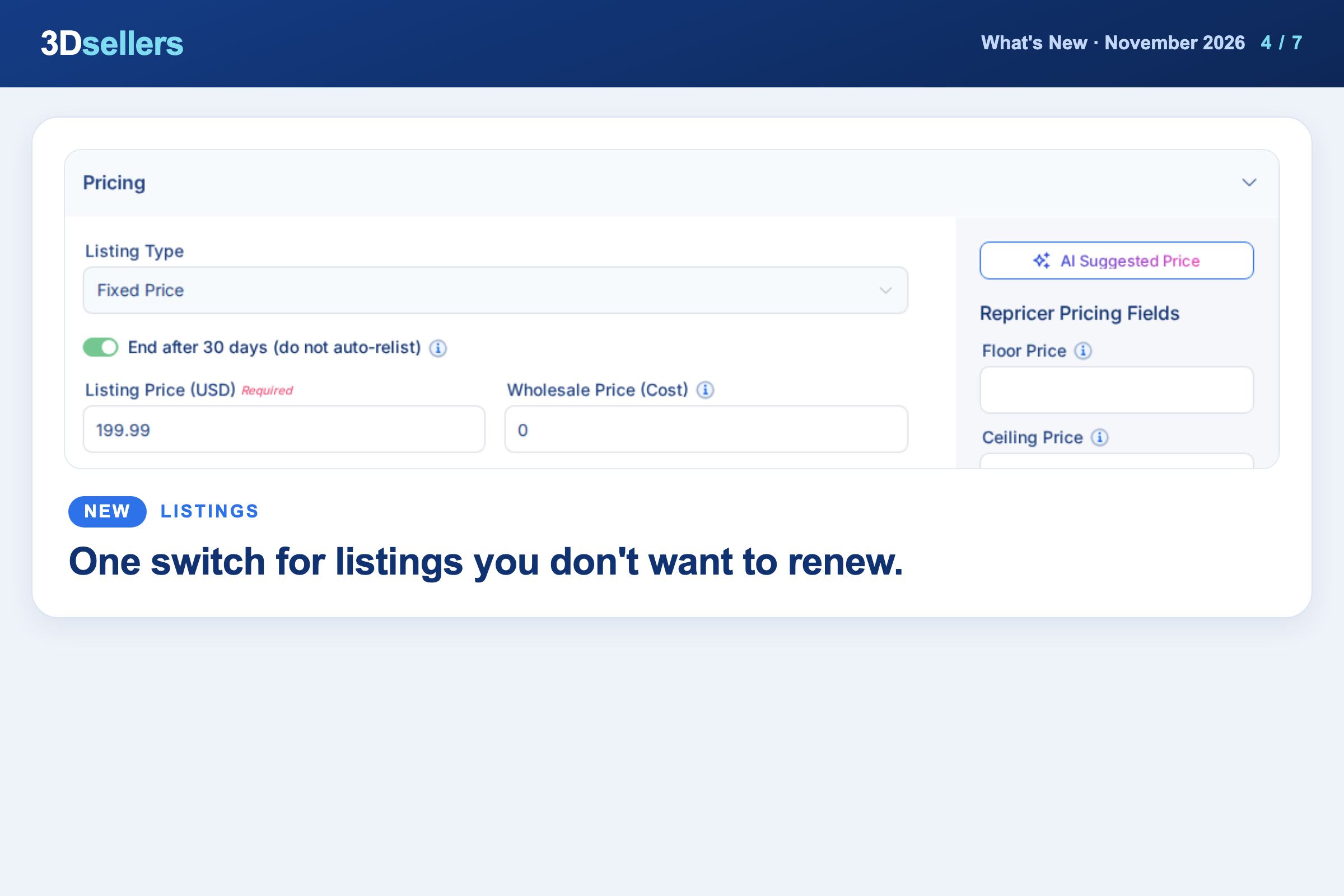
In the eBay listing editor, turn on "End after 30 days (do not auto-relist)" under Pricing, or "End after 30 days" under Selling details in the Old View. The Fixed Price listing then ends after 28 days, before eBay renews it.
✉️ List Every Order Item in Auto Messages
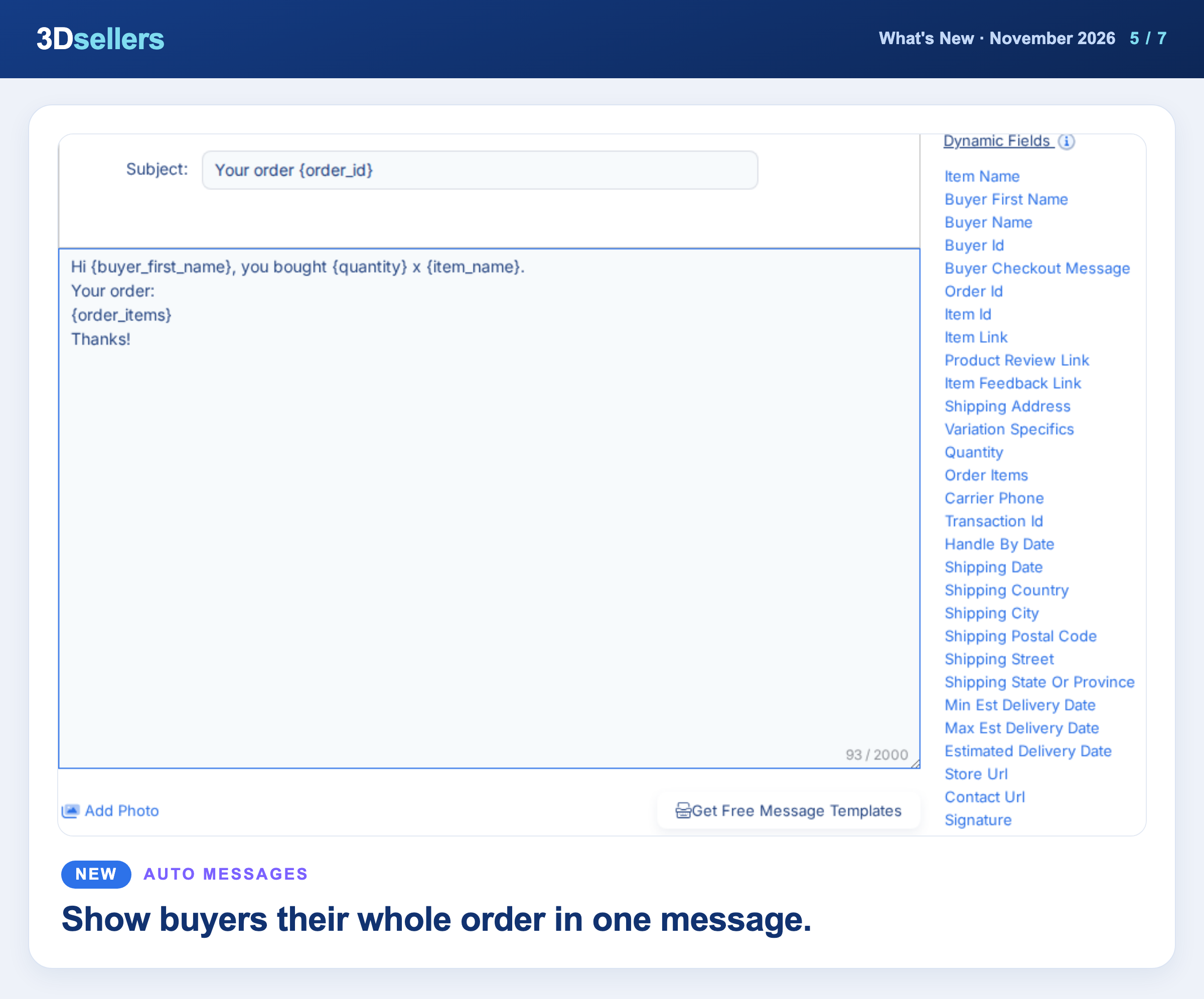
Item Sold and Item Shipped messages have two new dynamic fields, Quantity and Order Items. Order Items lists every item in the order with its quantity, one per row, so one message covers a multi-item order.
📖 Step by step: Dynamic fields in auto messages · More about eBay auto messages
🖼️ One Media Library for Images and Videos
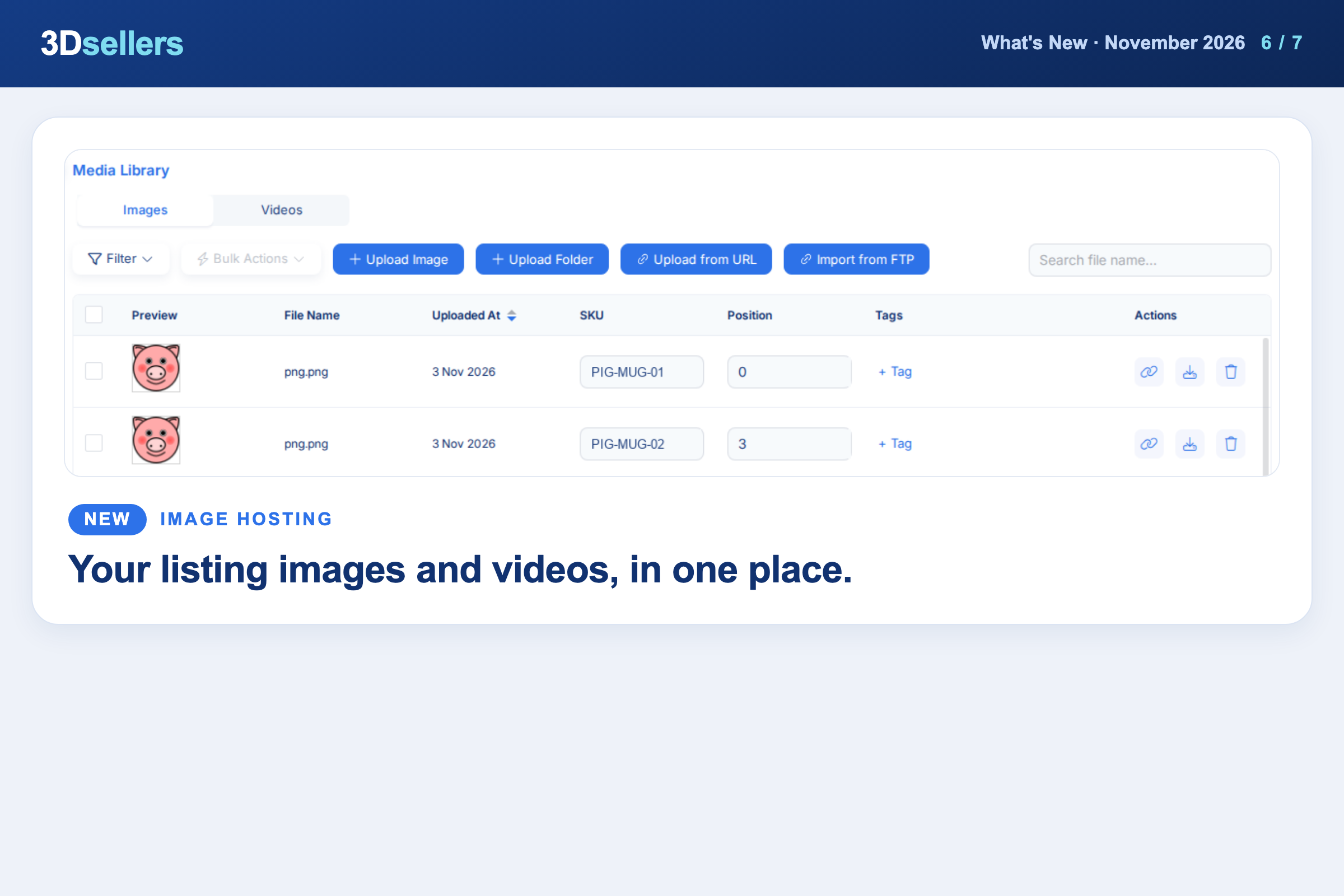
Image Hosting and Video Library are now one page. Open Listings Manager, Media Library and switch between the Images tab and the Videos tab, which is for eBay accounts.
📖 Step by step: Upload and add videos to eBay listings
📦 Remove eBay Catalog Products in Bulk
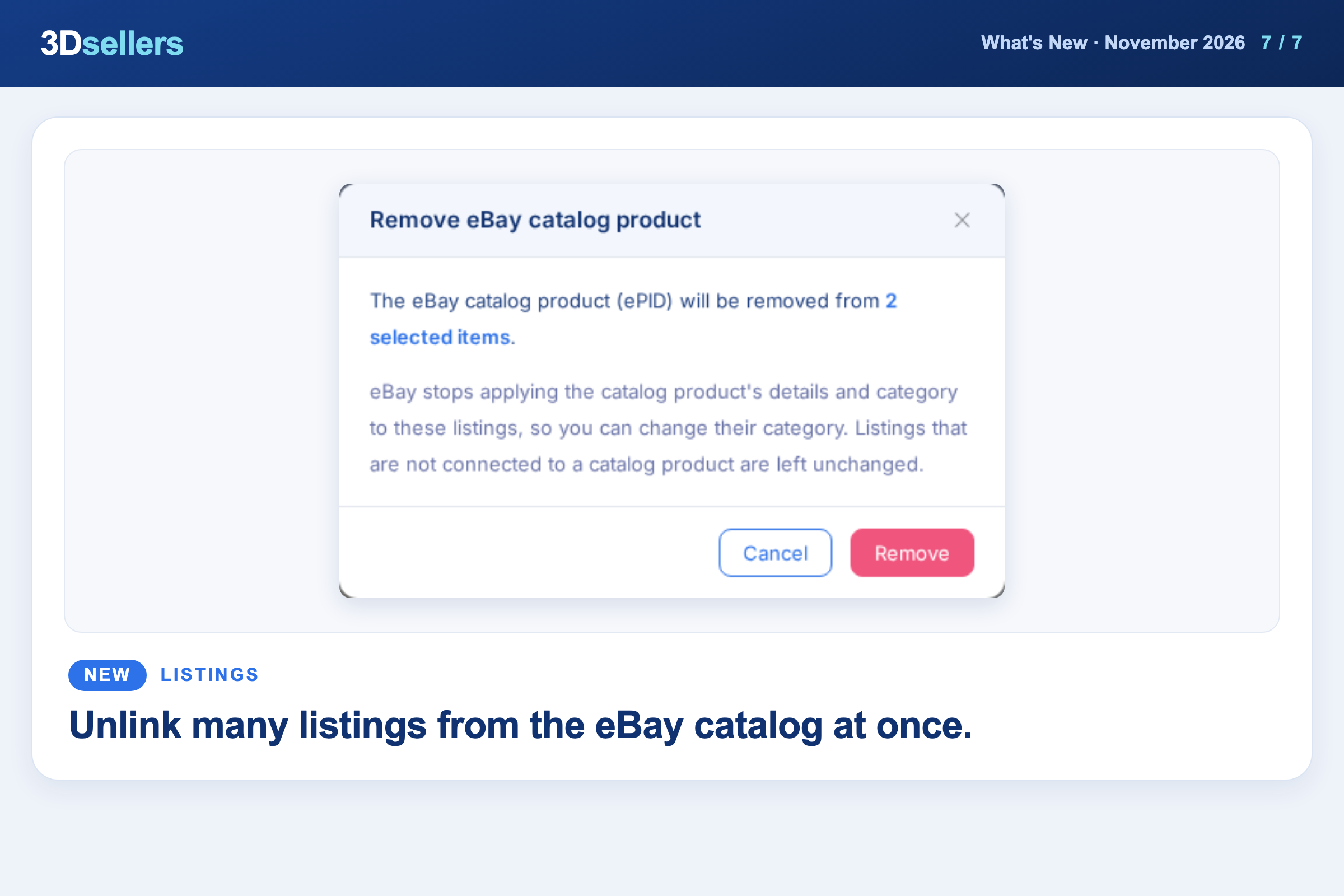
Select your active eBay listings in the Listing Manager and choose Bulk Actions, Content, Remove eBay Catalog Product to disconnect them from their eBay catalog product (ePID). Listings that are not connected are left unchanged.
More about bulk editing eBay listings
Everything that changed in November, by tool
📦 Listings
- ✨ New: In the New View eBay listing editor, click Columns in the Variations toolbar to show or hide fields like Cost, Floor Price or UPC.
- ✨ New: Vehicle Compatibility is now its own section in the Catalog product page and the New View eBay listing editor, instead of a popup.
- ✨ New: The Created By column and filter now cover listings published from the Catalog and listings made with Create Listings.
- 🔧 Fixed: Uploading photos from the Old View editor and the Media Library is more reliable, and large multi-photo uploads keep their order.
- 🔧 Fixed: Prices changed through an Update Active Listings CSV now show in 3Dsellers as well as on eBay.
- 🔧 Fixed: Changing a shipping, return or payment policy in the listing editor and clicking Update Listing now sends the policy you picked to eBay.
- 🔧 Fixed: Drafts with titles of up to 80 characters no longer fail to publish to eBay with a "max 65 characters" error.
- 🔧 Fixed: Bulk Relist now skips eBay listings that eBay shows as sold out, instead of relisting them with a quantity of 1.
- 🔧 Fixed: Updating drafts with a CSV now saves the new price inside each draft and picks up the warehouse quantity.
- 🔧 Fixed: Scheduled listings now go live with the policies you picked in the schedule dialog, and ones left without a schedule time show "Not scheduled".
- 🔧 Fixed: CSV updates of active eBay listings now send the custom item specifics you mapped to eBay, instead of dropping them.
🗂️ Product Catalog
- ✨ New: Mapping rules have a new Lookup list action, and text you put inside [[ ]] is left out when every property inside it is empty.
- ✨ New: In BigCommerce mapping templates, map Category 1 to 5 to your custom attributes to add extra BigCommerce categories per product.
- ✨ New: When you create a Custom Feed, you can now start from a Channel template, so you don't have to type the column names yourself.
- 🔧 Fixed: Edit Before Publish opens with the current product's own description and item specifics and keeps the policies shown in the Publish window.
- 🔧 Fixed: Filtering Catalog products by type works as expected: Regular shows only standalone products and Child lists your variation products.
💬 Helpdesk
- ✨ New: When a conversation is about something you bought on eBay, Order Details shows that purchase with a Purchase tag, its status, price and item.
- ✨ New: Reply suggestions now also show when the last message in a ticket came from an auto responder.
- 🔧 Fixed: The conversation, contact panel and Case Details now always match the ticket you selected.
- 🔧 Fixed: AI Reply writes a full answer from the conversation instead of returning your typed text with a greeting.
✉️ Auto Messages
- 🔧 Fixed: Images attached to auto messages reach buyers instead of arriving as an empty attachment.
⚙️ Automations
- ✨ New: Automations with the Draft Created trigger have a new "Skip drafts created by automations" option.
🎨 Listing Designer
- 🔧 Fixed: The specifications table in your template updates as soon as you save new item specifics on a listing.
📊 Inventory
- 🔧 Fixed: Inventory Logs show your stock changes again, and new changes made in the Listings table show the teammate who made them.
🖼️ Image Hosting
- ✨ New: Import images straight from an FTP or SFTP folder with Import from FTP in the Media Library; your Advanced Mapping rows are now remembered.
🔌 Integrations
- 🔧 Fixed: Renewing the Amazon token for US or Canada no longer refreshes your Mexico connection instead.
- 🔧 Fixed: Walmart listing imports save your listings instead of finishing with none.
🧩 Public API & MCP
- ✨ New: You can now read and update a Catalog product's Cost through the 3Dsellers API and from AI agents connected with MCP.
- 🔧 Fixed: Turning on inventory sync through the API or MCP now also turns on stock updates from received orders, so new sales lower your Catalog stock.
📈 Reports
- ✨ New: The eBay Listings Report (Advanced) has a new Last Sale Date column.
More What's New updates


3Dsellers newsletter