-1762872095.png)

Overview
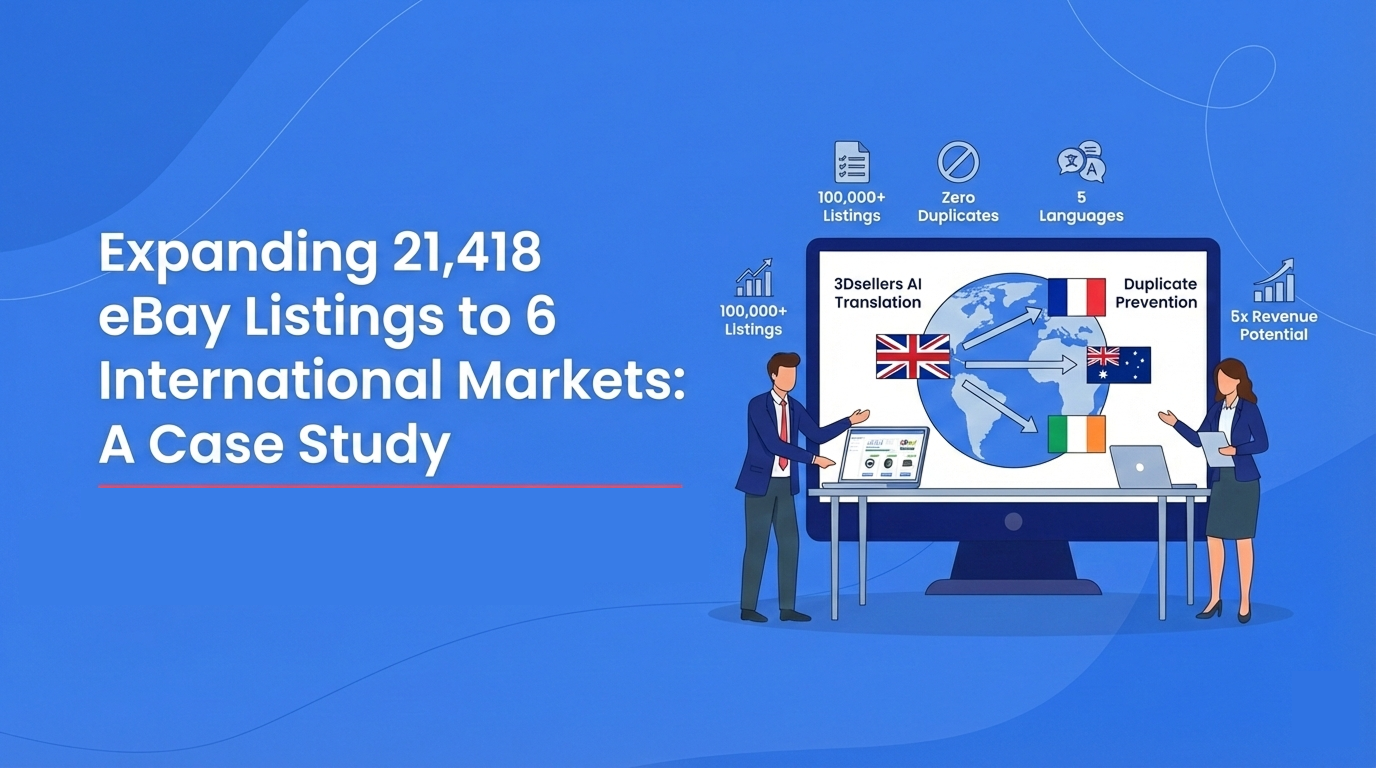
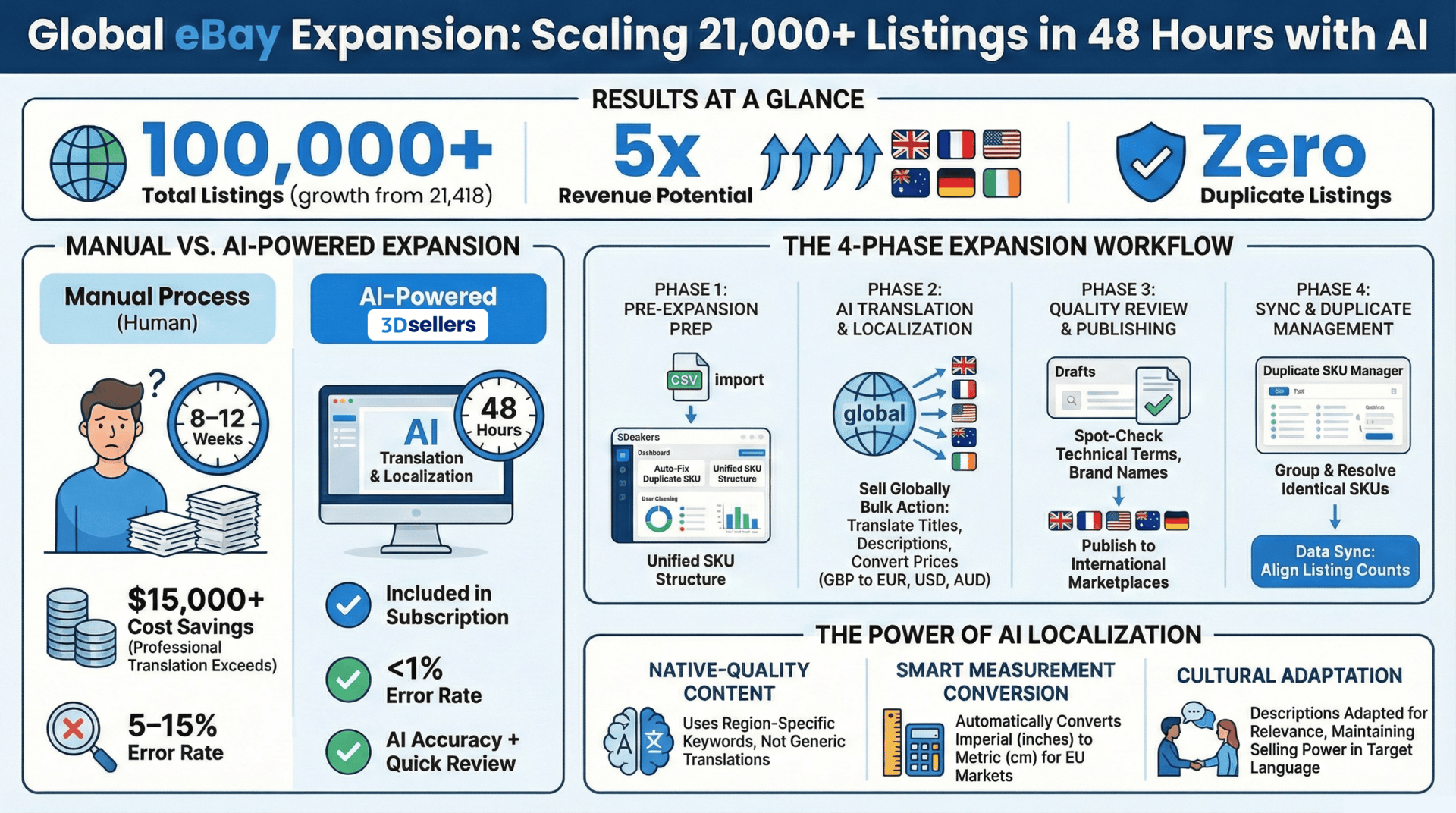
In 9th of December 2025, we received a support inquiry from Danielius Kovales, a high-volume eBay seller from Lithuania, managing 21,418 active listings on the UK marketplace. Danielius had a clear goal: expand his business to five additional international markets—France, US, Australia, Germany, and Ireland—without creating duplicate listings or spending weeks on manual translation. This case study documents the complete process we went through together, from initial analysis to final implementation, and the measurable results he achieved.
What started as a simple question about translation features evolved into a comprehensive international expansion strategy that transformed Danielius's single-market operation into a multi-market powerhouse. Through a detailed consultation process, we analyzed his specific needs, identified potential challenges, and implemented a scalable workflow that he could replicate for future expansions
The Challenge
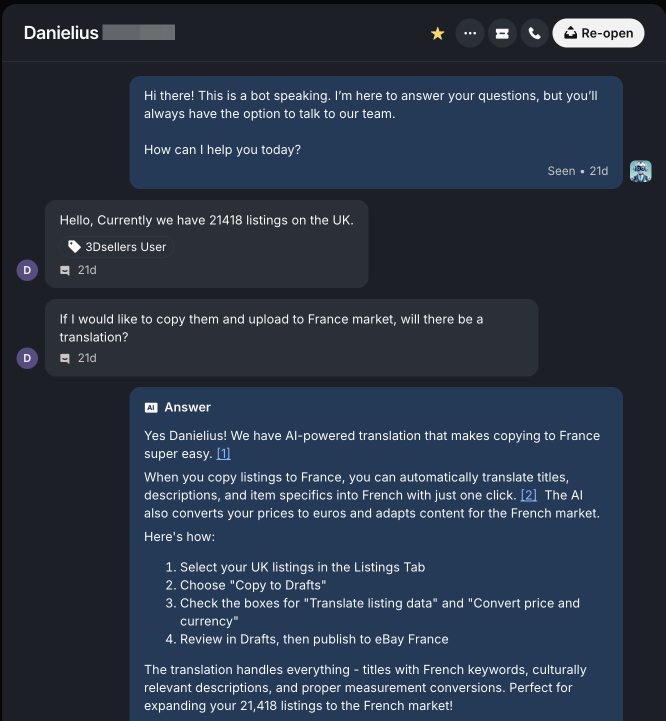
Danielius contacted our support team with a straightforward question
"Currently we have 21418 listings on the UK. If I would like to copy them and upload to France market, will there be a translation?"
As the conversation progressed, we uncovered the full scope of his challenge:
- Scale: 21,418 active listings in the UK marketplace
- Target Markets: Five additional markets—France, US, Australia, Germany, and Ireland
- Primary Concern: Preventing duplicate listings across markets
- Translation Needs: Automatic translation for titles, descriptions, and item specifics
- Currency Conversion: Converting GBP prices to EUR, USD, AUD, and other target currencies
- Existing Listings: Some products already listed in target markets (e.g., 9,624 listings in Germany according to eBay)
Danielius needed a solution that would handle all these complexities while maintaining efficiency and preventing operational chaos.
Initial Analysis and Consultation
After understanding Danielius's requirements, we conducted a comprehensive analysis of his situation:
Step 1: Understanding Current State
We first examined his existing setup:
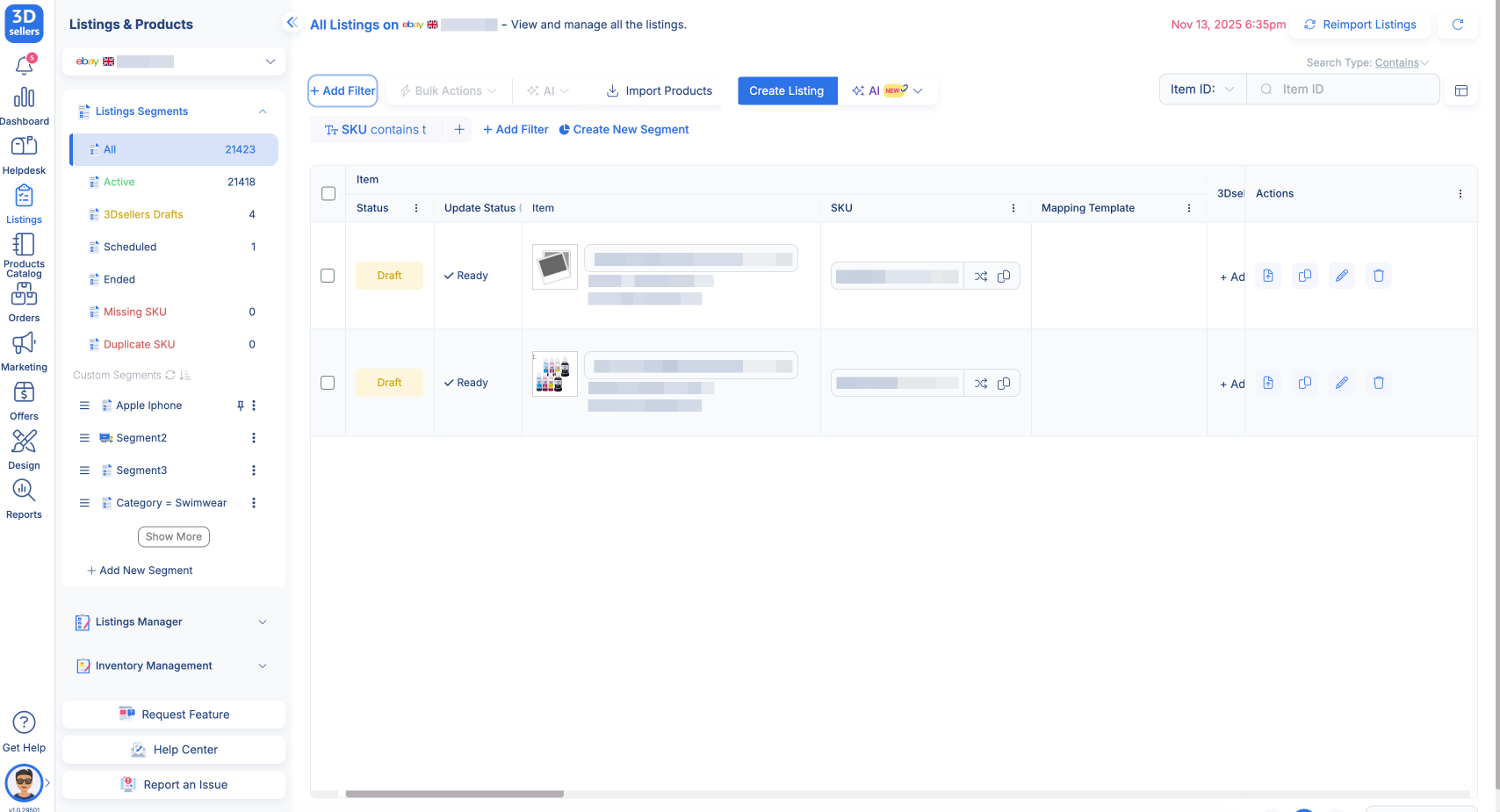
- Verified his UK listing count: 21,418 active listings
- Checked his Germany marketplace: eBay showed 9,624 listings.
- Reviewed his existing SKU structure and naming conventions
Step 2: Identifying Key Questions
Through our conversation, we identified several critical questions that needed answers:
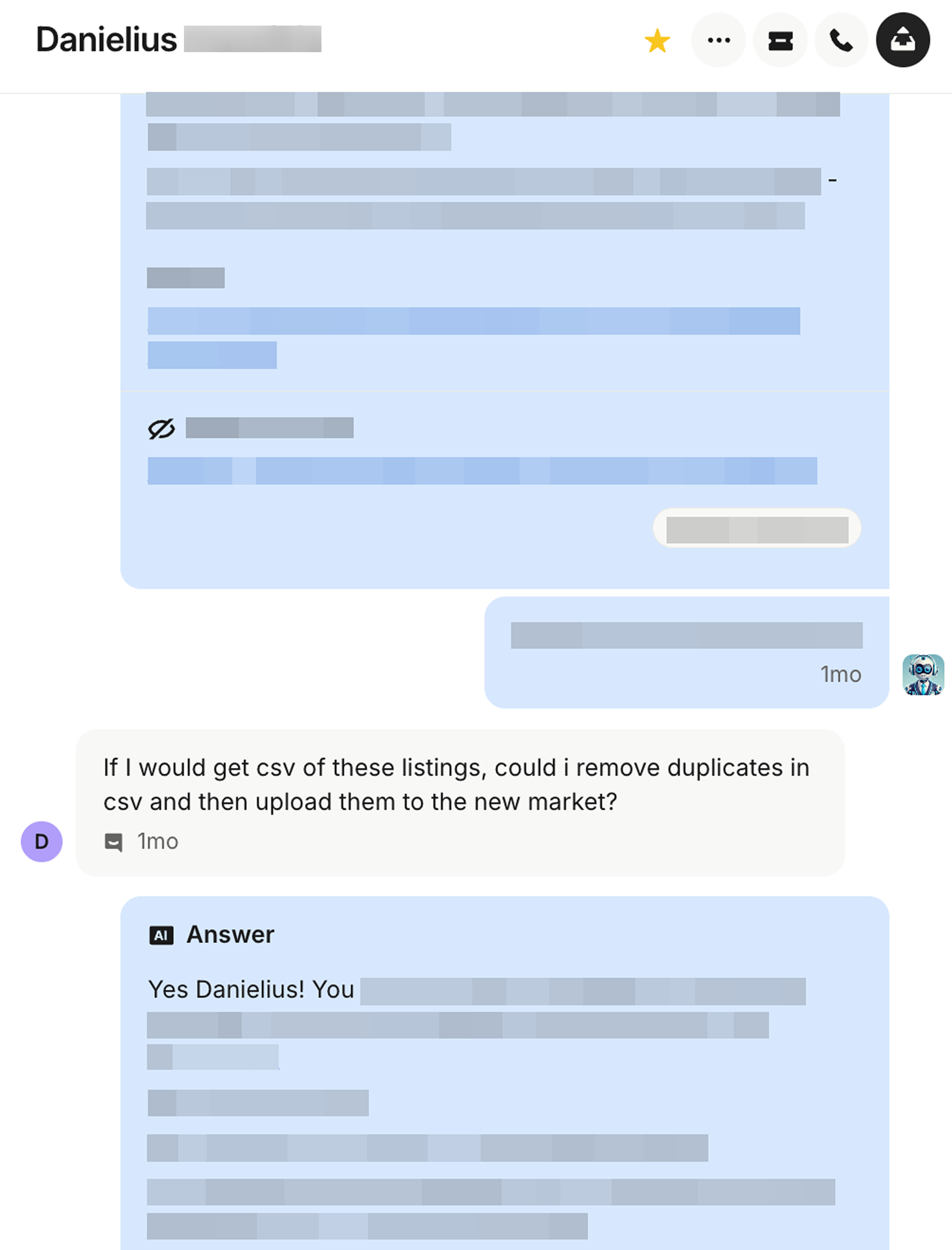
- Translation Coverage: "Is translation included in my subscription?" - Yes, AI translation is unlocked and paid per credit with all subscriptions.
- Duplicate Prevention: "Will it upload only listings that do not appear in other markets? I mean there wouldn't be any duplicates?" - The system doesn't automatically prevent duplicates, but we have tools to manage them
- Duplicate Detection: "So if I copy listings and upload them to the market, I will be able to see duplicate SKUs and will be able to remove them?" - Yes, the Duplicate SKU segment automatically groups them
- CSV Workflow: "If I would get CSV of these listings, could I remove duplicates in CSV and then upload them to the new market?" - Yes, this is an effective pre-filtering strategy
- Auto-Fix Functionality: "What does auto fix duplicate SKUs mean?" - It generates new unique SKUs but doesn't remove duplicate listings
Step 3: Planning the Solution
Based on our analysis, we designed a comprehensive 7-step workflow that addressed all of Danielius's concerns:
- Export source listings to CSV for backup
- Remove duplicates in 3Dsellers Duplicate SKU Auto Fix feature.
- Use Sell Globally with AI translation for each market
- Review and publish translated drafts
- Monitor for duplicate SKUs using segments
- Resolve any remaining duplicates
The Implementation Process
Phase 1: Pre-Expansion Preparation
Before beginning the expansion, we guided Danielius through preparation steps:
Step 1: Export Existing Listings
We instructed Danielius to export his UK listings to CSV format:
- Navigate to Listings & Products from the main menu
- Go to Listings Manager and apply filters to view UK listings
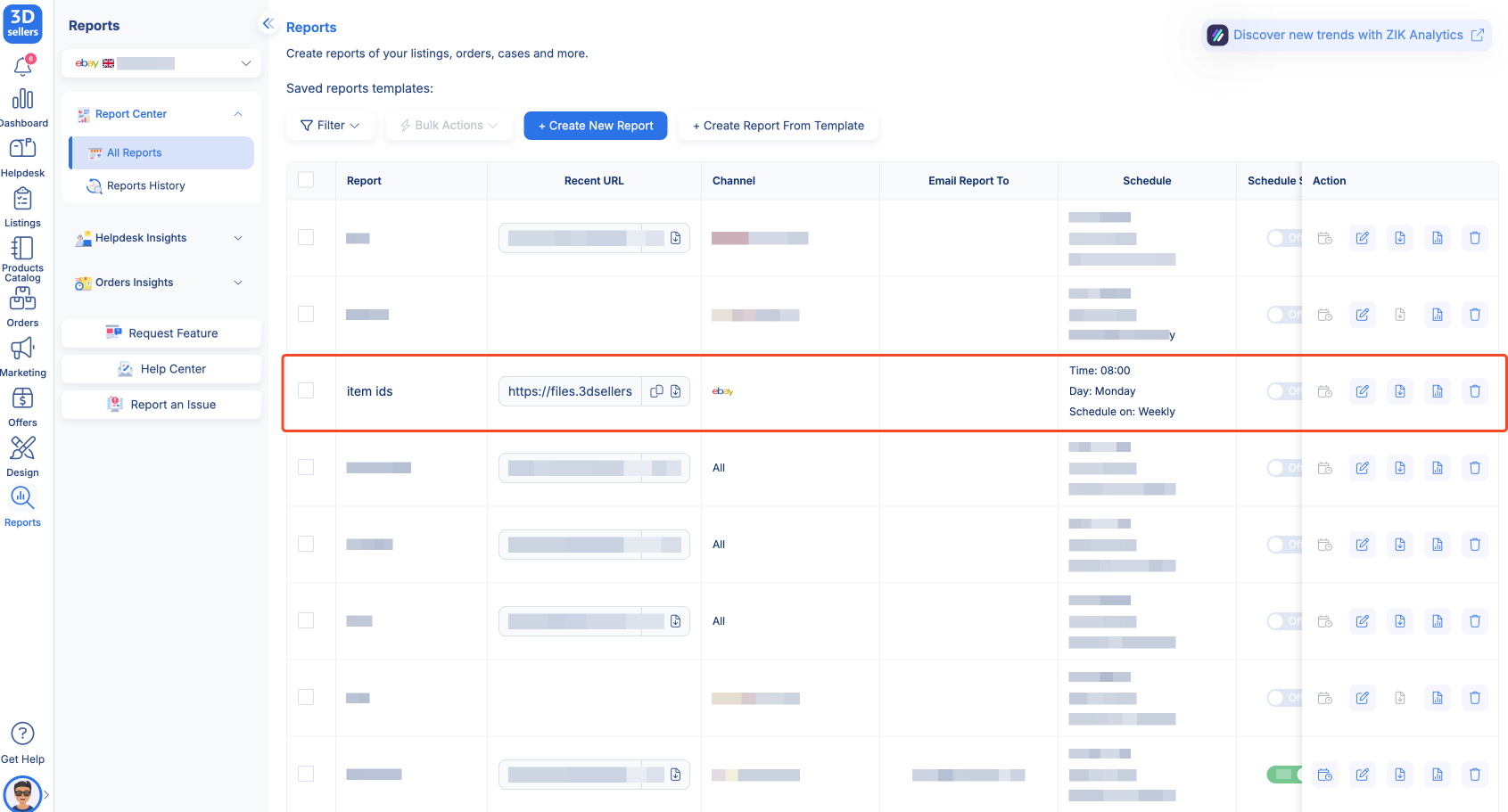
- Use the Report Center to export listings to CSV format
- Choose Listings - from 3Dsellers for advanced filtering options
- Apply filters by marketplace, category, or listing status as needed
- Download the CSV file containing all 21,418 listings
Step 2: Export Target Market Listings
To identify existing listings in target markets, we had Danielius export listings from each target market separately:
- France marketplace listings
- US marketplace listings
- Australia marketplace listings
- Germany marketplace listings (already had 9,624-10,063 listings)
- Ireland marketplace listings
Purpose: This allowed us to compare UK listings against each target market to identify which products were already listed, preventing unnecessary duplicates while keeping a backup of the current inventory state.
Auto-Fix Duplicate SKUs Across All Marketplaces (with 3Dsellers)
Instead of manually exporting CSVs and cleaning duplicates in Excel, Danielius used 3Dsellers’ built-in Auto-Fix Duplicate SKU tool to detect and resolve duplicates across all connected marketplaces at once.
How it works in 3Dsellers:
- Connected all eBay regions to 3Dsellers in the integration page.
- Opened the Duplicate SKU Manager inside 3Dsellers
- Ran an automatic scan to detect:
- Same SKU used on multiple listings
- Conflicting SKUs across different regions
- Listings that already exist in other regions/accounts
- Used Auto-Fix
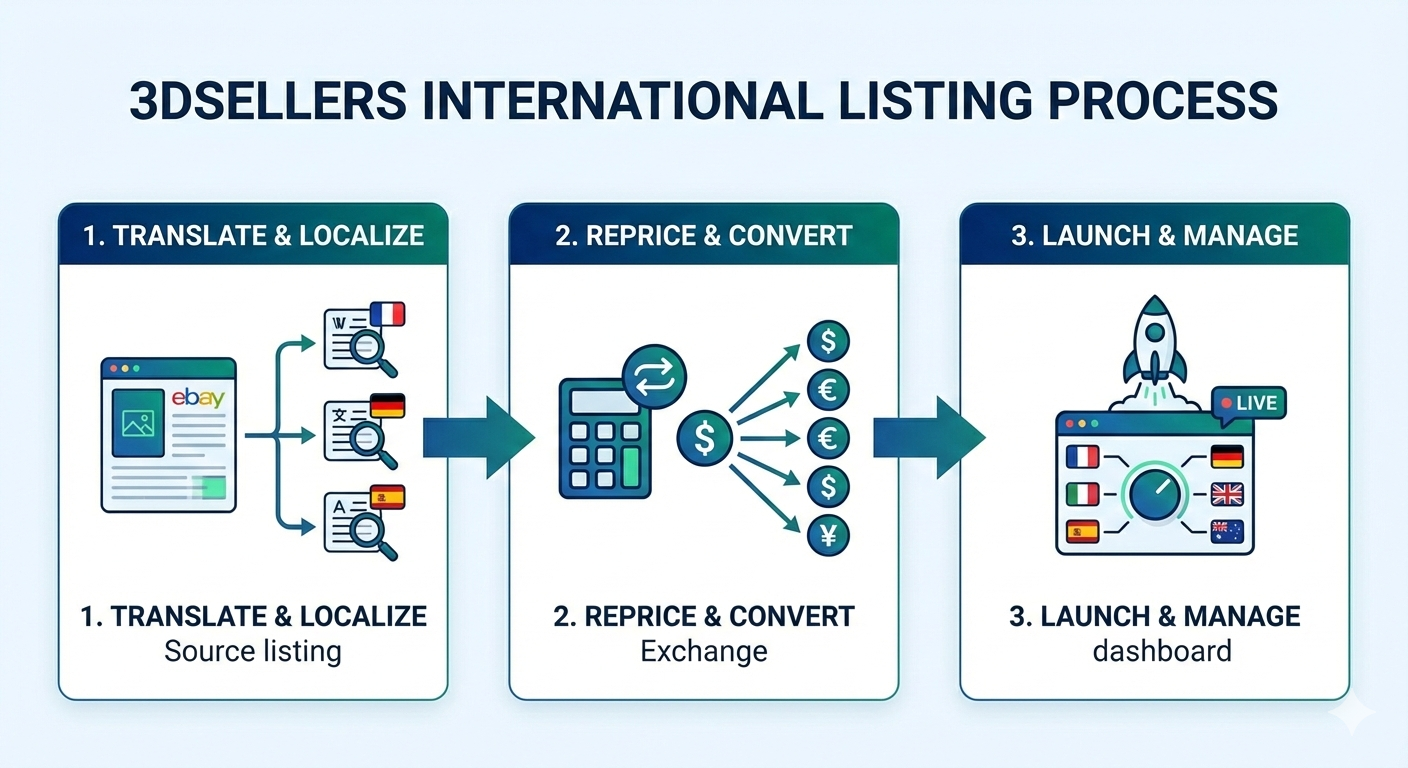
Step 5: AI-Powered Translation and Localization with 3Dsellers
Danielius used 3Dsellers’ Sell Globally bulk action to automatically translate, localize, and prepare listings for each target eBay marketplace.
- Filtered and selected the listings he wanted to expand (bulk selection from Listings Manager).
- Clicked Bulk Actions → Sell Globally.
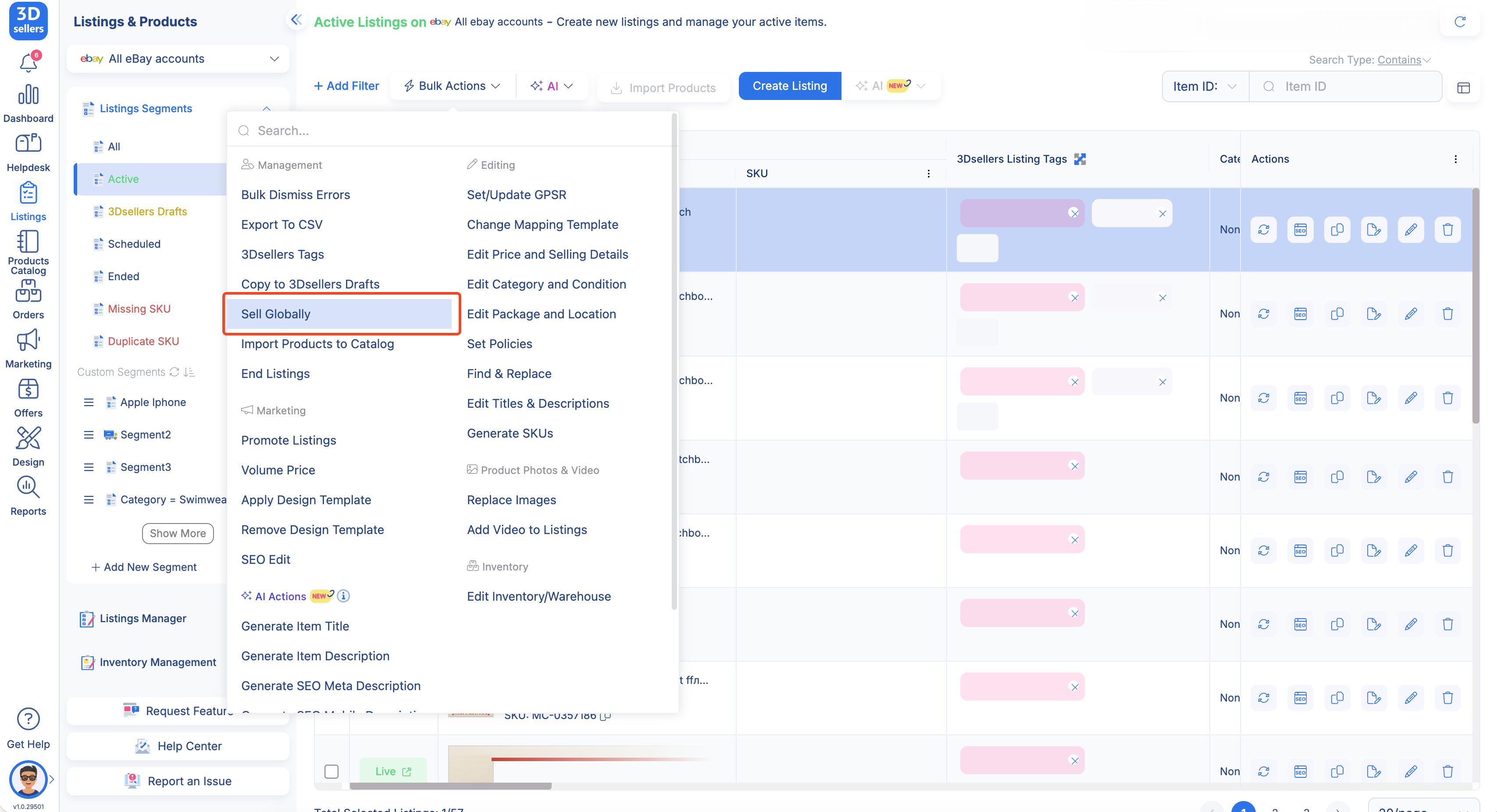
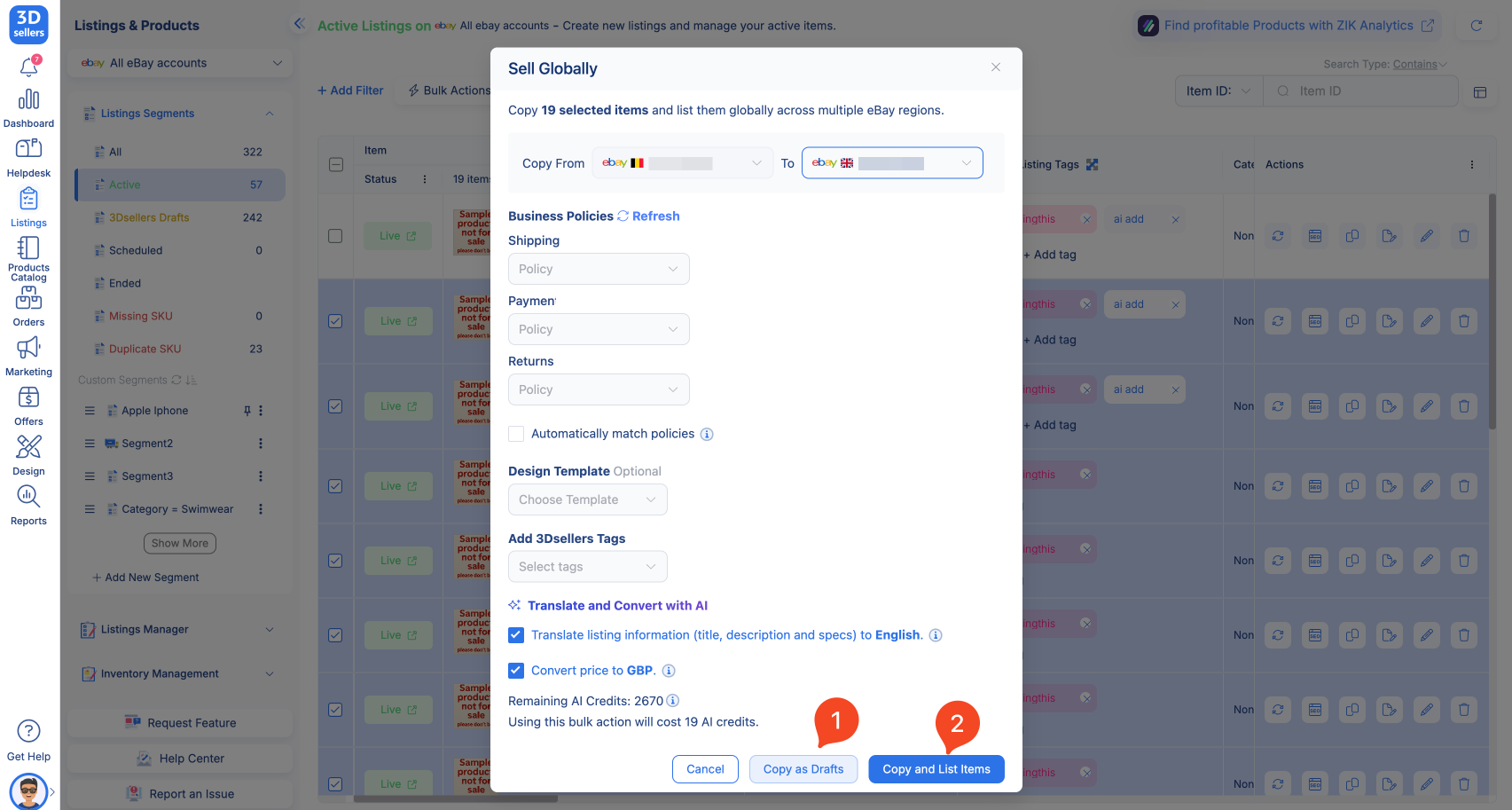
- Chose the source marketplace (e.g., eBay UK) and the target marketplace (e.g., eBay Germany, France, US, AU).
- Enabled Translate and Convert with AI to:
- Translate titles, descriptions, and item specifics into the target language.
- Localize content to match each marketplace’s standards.
- Enabled Convert price to local currency (for example, GBP → EUR or USD).
- Selected Copy as Drafts to review the localized listings before publishing (or Copy and List Items to publish immediately).
- Repeated the same workflow for each additional marketplace.
Translation Coverage:
The AI automatically translated:
- Listing titles with region-specific keywords
- Product descriptions with cultural adaptation
- Item specifics with smart category mapping
- Measurement conversions (inches to centimeters for European markets, etc.)
- Currency conversion (GBP to EUR, USD, AUD, etc.)
Pro tip:
It can also be done using the Copy to Drafts feature:
.png)
Step 6: Quality Review and Publishing
Before publishing, Danielius conducted a thorough review:
- Navigated to 3Dsellers Drafts section
- Filtered drafts by target marketplace to review each market separately
- Spot-checked translations for technical terms, brand names, and product-specific terminology
- Made necessary edits using the listing editor
- Used bulk actions to publish multiple drafts once satisfied
Phase 3: Duplicate Management
Step 7: Monitoring for Duplicate SKUs
After publishing to each market, Danielius monitored for duplicate SKUs:
- Navigated to Listings Manager
- Checked the Duplicate SKU segment in the segments list
- Reviewed how the system automatically grouped listings with identical SKUs
- Identified which duplicate listings needed attention
.png)
Step 8: Resolving Duplicates
For the duplicates that were found, Danielius had two resolution options:
Option A: Auto-Fix Duplicate SKUs
For products that legitimately needed different SKUs across markets:
- Selected all listings in the Duplicate SKU segment
- Clicked Auto-Fix Duplicate SKUs from bulk actions
- The system generated new, unique SKUs using random characters (under 32-character limit)
- Reviewed updated SKUs to ensure they met inventory system requirements
Option B: Remove Duplicate Listings
For products that were truly duplicates:
- In the Duplicate SKU segment, identified which listings to keep (typically the original or best-performing version)
- Selected the duplicate listings to remove
- Used bulk actions to delete or end the duplicate listings
- Marked remaining listings as "not duplicated" if they were intentionally the same product across markets
.png)
Phase 4:Sync New Data
Step 9: Sync and Data Alignment
After publishing to new markets, we addressed listing count discrepancies:
- Issue: eBay.de showed 9,624 listings, but 3Dsellers showed 10,063
- Causes Identified:
- Listings on multiple eBay sites showing up together in 3Dsellers
- Sync timing differences—ended listings stay visible for up to 9 days
- Missing region connections in integration settings.
.png)
Solution: Used the Sync Listings button to update everything and verified all regions were properly connected in eBay integration settings
The Results
After completing the full expansion process, Danielius achieved measurable results across multiple dimensions:
Operational Efficiency
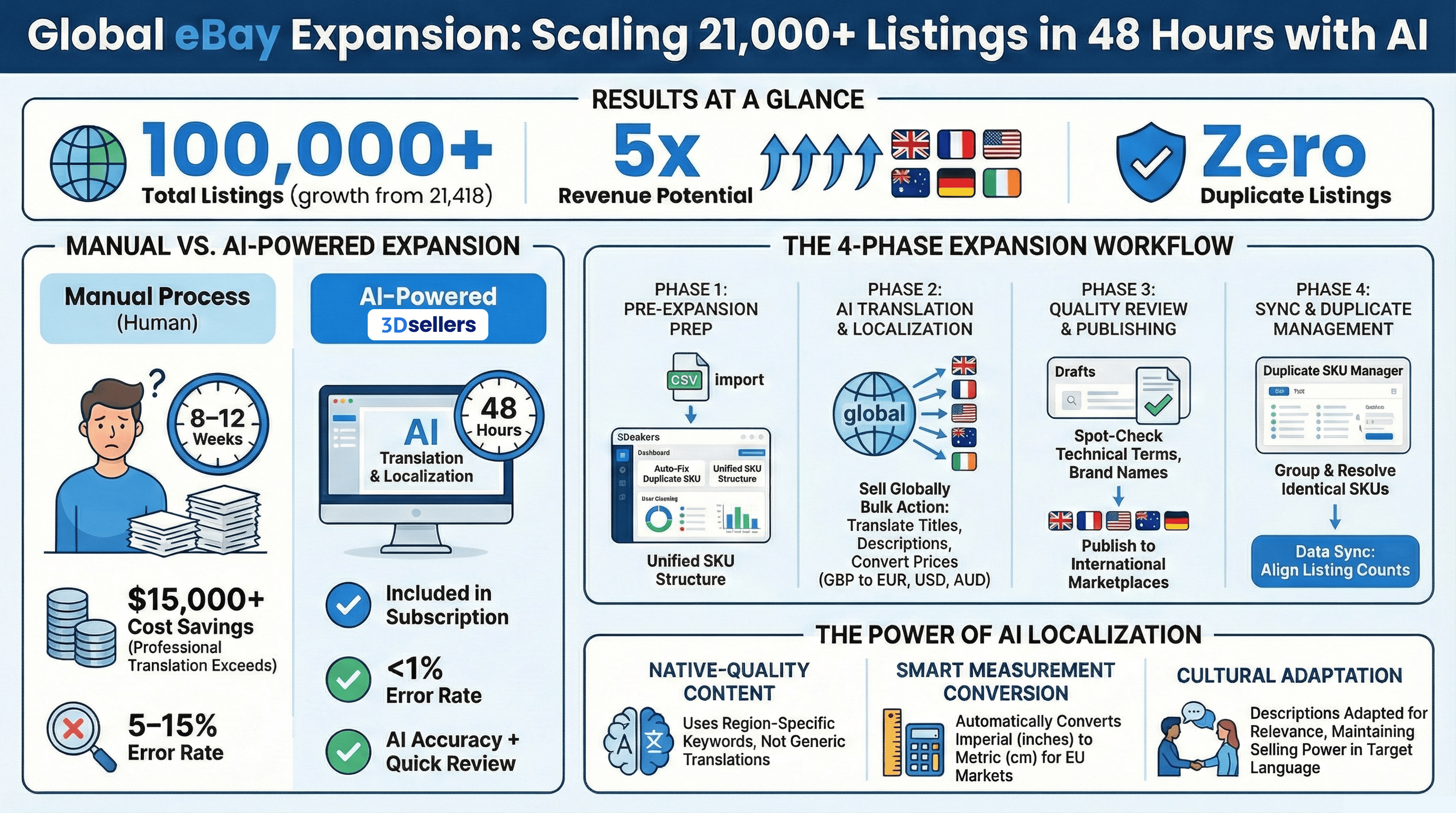
- Time Savings: What would have taken weeks of manual translation was completed in hours with AI assistance. The entire expansion process from export to final publication took significantly less time than traditional manual methods.
- Zero Duplicate Listings: Through CSV pre-filtering and duplicate SKU detection, Danielius maintained clean inventory across all markets without creating unwanted duplicates.
- Scalable Process: The workflow proved effective whether expanding 100 listings or 21,000+ listings, making it repeatable for future expansions.
Market Expansion
- Market Coverage: Successfully expanded from one market (UK) to six total markets (UK, France, US, Australia, Germany, Ireland)
- Listing Volume: Increased from 21,418 listings to over 100,000 listings across all markets
- Revenue Opportunities: Multiplied potential revenue streams by expanding to five additional international markets
Content Quality
- Native-Quality Translations: AI-powered localization translated titles, descriptions, and item specifics with cultural relevance and region-specific keywords, maintaining selling power across different markets and languages.
- Automatic Currency Conversion: Prices automatically converted to target market currencies (GBP to EUR, USD, AUD, etc.), ensuring accurate pricing in each market.
- Cultural Adaptation: Descriptions adapted for cultural relevance with AI-powered localization, not just generic translations.
Inventory Management
- Organized Inventory: Duplicate SKU segments and CSV tracking kept multi-market inventory organized and manageable
- Master SKU Tracking: Created a comprehensive spreadsheet mapping each product to all markets, serving as a single source of truth for inventory across regions
- Future-Proof System: Established processes and workflows that prevent future duplicates and maintain clean inventory as the business continues to grow
Key Learnings and Best Practices
Through this case study, we identified several best practices that can benefit other sellers undertaking similar expansions:
Pre-Expansion Planning
- Export Before Import: Always export existing listings from both source and target markets to identify duplicates before copying
- CSV Pre-Filtering: Use Excel's duplicate detection to clean data before importing, saving significant time in the duplicate resolution phase
Translation Strategy
- Market-by-Market Processing: Process one market at a time and review AI translations before moving to the next market
- Quality Review: Always spot-check translations for technical terms, brand names, and product-specific terminology
- Draft First: Use "Copy to Drafts" to review translations before publishing, maintaining control over the expansion timeline
Duplicate Management
- Proactive Prevention: CSV pre-filtering is more efficient than post-publishing duplicate resolution
- SKU Naming Conventions: Use consistent SKU naming conventions across markets (e.g., PROD-UK-12345, PROD-FR-12345) to make duplicate detection easier
- Regular Monitoring: Use the Duplicate SKU segment regularly to catch and resolve duplicates early
Step-by-Step Implementation Checklist
Use this checklist to replicate Danielius's success:
Translation and Publishing Phase
- Select listings for expansion in Listings Manager
- Use Bulk Actions then Sell Globally for first target market
- Enable "Translate and Convert with AI"
- Enable "Convert price to local currency"
- Choose "Copy as Drafts" for quality review
- Review drafts in 3Dsellers Drafts section
- Spot-check translations for technical terms and brand names
- Publish approved drafts to marketplace
- Repeat for each additional target market
Post-Publication Phase
- Monitor Duplicate SKU segment for any issues
- Resolve duplicates using Auto-Fix or removal
- Sync all listings in eBay integration settings
- Verify listing counts match across platforms
- Track initial sales and performance metrics
- Document workflow for future expansions
Ongoing Maintenance
- Set up regular duplicate SKU monitoring (weekly)
- Create bulk update workflows for pricing changes
- Monitor translation quality and customer feedback
- Optimize listings based on performance data
- Plan next market expansion using proven workflow
Technical Details and Implementation Notes
AI Translation Capabilities
The AI translation feature included in Danielius's subscription handled:
- Market-Precise Translation: Titles translated using region-specific keywords that local buyers actually search for
- Cultural Adaptation: Descriptions adapted for cultural relevance, not just generic translations
- Automatic Item Specifics Conversion: Item specifics converted with smart category mapping and measurement conversions
- Native-Quality Content: Translations that read naturally in the target language, avoiding clunky generic translations
Duplicate SKU Detection System
The Duplicate SKU segment automatically:
- Groups listings with identical SKUs
- Shows exactly how many duplicates need attention
- Provides bulk tools to fix or regenerate unique SKUs
- Allows marking items as "not duplicated" if they're intentionally the same
CSV Export and Import Workflow
The Report Center provides two export options:
- Listings - from 3Dsellers: Advanced filtering options for pre-expansion analysis
- Listings - from eBay: Live data from eBay for comparison
Both options support filtering by marketplace, category, listing status, and date range.
Frequently Asked Questions
How much does AI translation cost with 3Dsellers?
AI translation is included with all 3Dsellers subscriptions and operates on a credit-based system. For 21,418 listings, the translation cost was significantly lower than hiring professional translators (typically $15,000+), making it extremely cost-effective for high-volume sellers.
Can this work for sellers with fewer listings?
Absolutely. The same workflow works whether you have 100 listings or 100,000 listings. The process scales efficiently regardless of inventory size, making international expansion accessible to sellers of all sizes.
What languages and markets are supported?
3Dsellers supports AI translation for all major eBay international sites including US, UK, Germany, France, Australia, Canada, Spain, and Italy. The AI automatically translates titles, descriptions, and item specifics into the target market's native language.
How do I prevent duplicate SKUs across multiple markets?
3Dsellers includes a built-in Duplicate SKU Manager that automatically detects duplicate SKUs across all connected marketplaces. You can either auto-fix them (generate unique SKUs) or remove true duplicates through bulk actions.
Will AI translation affect my SEO and search rankings?
The AI translation uses region-specific keywords and natural language patterns that local buyers actually search for, which typically improves SEO performance compared to generic machine translation. The translations are optimized for each marketplace's search algorithm.
How long does it take to see results after expanding to new markets?
Most sellers see initial sales in new markets within 7-14 days after publishing. Full market penetration typically occurs within 60-90 days as eBay's algorithm begins recognizing your listings and buyer trust builds in the new markets.
Can I review translations before publishing?
Yes. The workflow includes a "Copy to Drafts" option that allows you to review all AI translations before publishing. This gives you full control to make any necessary edits while still saving significant time compared to manual translation.
What happens if I already have some listings in target markets?
The pre-filtering step (exporting existing listings from target markets) identifies which products are already listed. You can then compare and decide whether to update existing listings or skip duplicates, preventing unnecessary duplication.
Conclusion
Danielius's international expansion from a single UK market to six international markets demonstrates the power of combining AI translation, strategic duplicate prevention, and systematic workflow management. What started as a support question evolved into a comprehensive expansion strategy that transformed his business operations.
The key to success was the combination of:
- Proactive Planning: CSV pre-filtering and duplicate analysis before importing
- AI-Powered Efficiency: Automated translation and currency conversion saving weeks of manual work
- Systematic Process: Step-by-step workflow that maintained quality and prevented errors
- Ongoing Management: Tools and processes for maintaining clean inventory across all markets
This case study serves as a blueprint for other high-volume sellers looking to expand internationally. The same workflow that worked for 21,000+ listings can be scaled to any volume, making international expansion accessible and manageable for sellers of all sizes.
Tony Adams is an e-commerce strategist and content expert specializing in eBay optimization, marketplace automation, and seller education. Through comprehensive case studies, technical guides, and best practice articles, Tony helps sellers understand complex topics including international expansion, AI-powered listing optimization, inventory management systems, and multichannel integration strategies. His writing combines industry expertise with practical implementation insights, empowering sellers to make informed decisions about scaling their operations and adopting advanced e-commerce technologies.
%20(1).png)

3Dsellers newsletter