

%20(1).png)

As an eBay seller, you already know that standing out on eBay isn't easy. With over 1.7 billion active listings competing for buyer attention, professional presentation has become just as important as competitive pricing or fast shipping. Many sellers still rely on basic text descriptions, but the reality is that well-designed listing templates consistently outperform plain-text listings when it comes to conversions.
An effective eBay listing template doesn't just make your products look good (though that certainly helps). It organizes your product information, presents key details clearly, and helps buyers feel confident about purchasing from you. Creating an effective, conversion-optimized template means understanding what information buyers need, how they browse listings, and what helps them click "Buy It Now."
In this guide, we'll walk you through everything you need to know about designing eBay listing templates that look professional and actually convert. From essential elements to design best practices, mobile optimization to common mistakes, you'll learn how to create professional listing templates that boost your sales and strengthen your brand on eBay.
Key Takeaways
- Professional eBay listing templates can increase conversion rates by up to 35% compared to basic text listings
- Templates should include clear branding, product information, high-quality images, and key information like shipping and return policies
- Mobile optimization is important – over 70% of eBay shoppers browse on smartphones and tablets
- Avoid violating eBay's Active Content Policy by using only approved HTML and avoiding prohibited elements like JavaScript
- Cross-selling related items within your template keeps buyers browsing your inventory instead of clicking away to competitors
.png)
What Makes an eBay Listing Template High-Converting
A high-converting eBay listing template needs to do more than look professional – it should present product information clearly, make important details easy to find, and build trust in you as a seller.
When designing a template, try to think about how you shop online. When you land on a listing that looks professional with clear sections, quality images, and well-organized information, you naturally feel more confident when placing an order. Compare that to a wall of text with no structure or visual breaks, which not only makes it more difficult to find information about the product, but also gives the impression of a low-effort listing. Even if both listings offer the same product at the same price and provide all of the same information, the organized listing will win more sales.
In our experience managing thousands of eBay listings for sellers, we've consistently seen that well-organized templates with clear visual hierarchy outperform plain-text listings, often by significant margins.
.png)
Essential Elements Every eBay Listing Template Needs
Building an effective eBay listing template means finding the right way to include all necessary product information and present it in a way that makes sense to buyers. While every product is unique, there are some essential elements that every eBay listing template must have. Below, we'll examine three core elements of every effective listing template: branding, product information, and business policies.
1. Branding and Visual Identity
An eBay listing template should reflect your brand from the moment a buyer lands on the page. This includes your logo, brand colors, and consistent styling that makes your listings instantly recognizable. Professional branding is more than just aesthetics, it's a way to convey that you're a legitimate, established seller that can be bought from with confidence.
When you manage your listing templates with 3Dsellers, you'll be able to completely customize how your listings look down to every detail – from color palette to layout – with a simple WYSIWYG editor, no coding knowledge required.
2. Product Information and Images
The product information section is the heart of any listing template, where you showcase the product you're selling, highlight key features, and display high-quality product photos. An effective template will organize this information so it's easy to scan, with clear headings, short paragraphs, and bullet points where they make sense.
Since buyers can't examine products in person, it's important to take high-quality product photos from a variety of angles that show the item clearly. Use multiple images that show different angles, closeups of important details, and the product in use when possible. Ultimately, the purpose of product images is to give buyers a complete visual understanding of what they're purchasing in order to minimize the chances of unnecessary returns.
3. Policy Information
No matter what you sell, making the terms of the sale clear to shoppers is an important part of responsible selling. It helps you avoid misunderstandings with regards to things like shipping times, shipping methods, returns, and cancellations. While your eBay Business Policies will cover most of this information, it's still important to present it to your buyers in a clear, structured way that clearly conveys the terms of the sale prior to purchase. With 3Dsellers' customizable listing templates, you can create a fully custom, tabbed policies section to inform your buyers about everything from shipping timeframes to payment information, eliminating friction from the buying process and showcasing your policies in a clear, informative way.
Design Best Practices for Professional eBay Templates
Once you know what elements your template needs, the next step is designing those elements in a way that helps improve conversions. Good design is more than just aesthetics – it's about being functional, informative, and making it easy for shoppers to click "Buy it Now." In this section, we'll go over the importance of optimizing for mobile viewing, as well as selecting and tailoring listing templates to specific product categories.
Account for Viewing on Mobile Devices
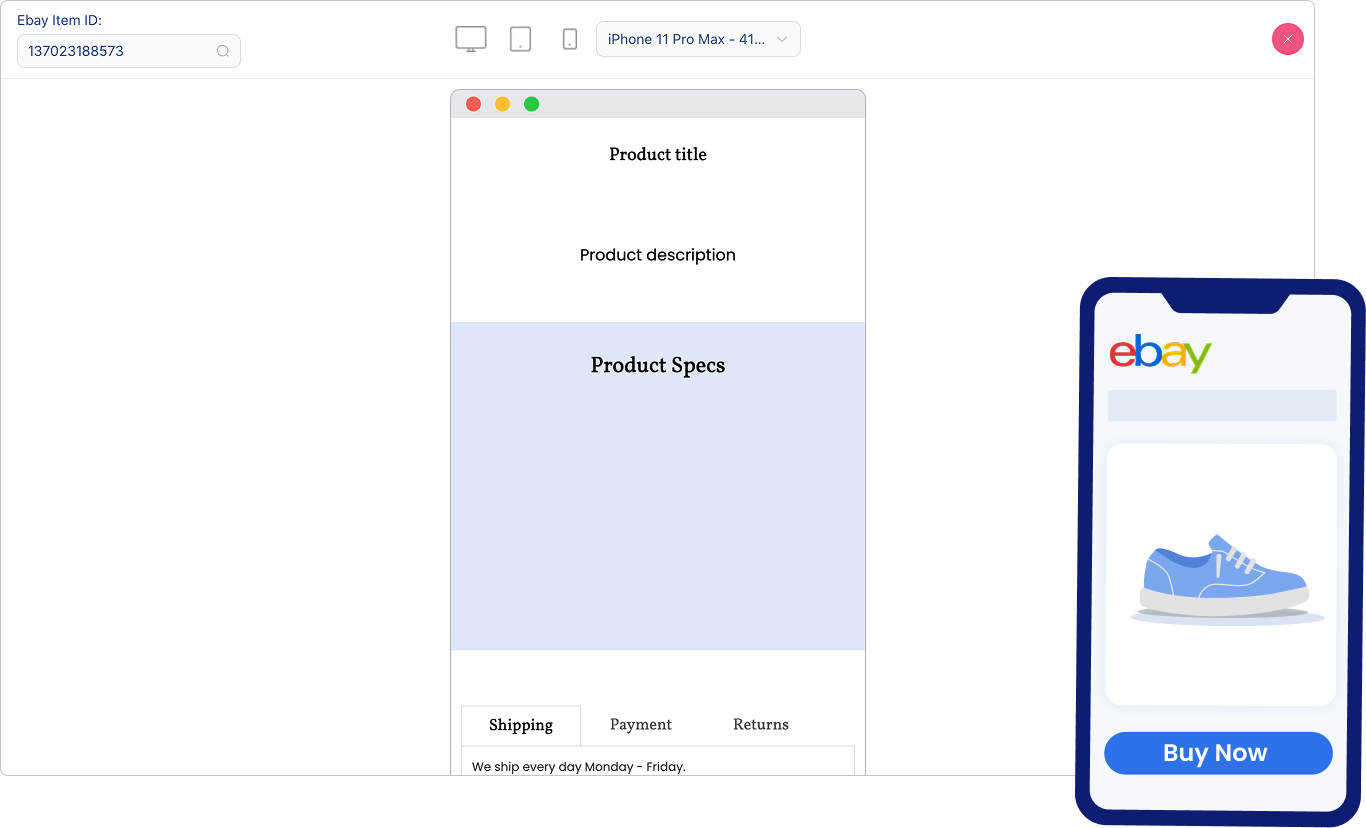
With more than 70% of eBay traffic coming from mobile devices, any effective eBay listing template must be mobile-responsive – that is, it needs to work not only on computers, but on smartphones and tablets as well. Mobile optimization means more than just shrinking everything to fit a smaller screen; it means adjusting layouts and text formatting for optimal viewing based on the device.
All of 3Dsellers' listing templates are 100% mobile-responsive, meaning that you can rest assured they'll provide all your shoppers with an optimal shopping experience on any device. Best of all you don't have to do anything to optimize the templates for mobile viewing, as this is done by 3Dsellers' template design system for every template automatically.
Optimize Templates for Different Product Categories
Different product types require different information, and what matters most to buyers can vary significantly across product categories. Sellers who sell electronics will need to provide detailed specifications and technical details front and center, fashion sellers will need to provide sizing charts and fabric composition specifications, and car parts sellers need to emphasize fitment information alongside installation details.
For categories like these, creating category-specific templates that emphasize the information most relevant to each niche will yield better conversion rates in comparison to generic, one-size-fits-all listing templates. You don't need to build dozens of completely different designs from scratch, however; a solid base template can be adapted for each product category you sell.
If you're managing listings across multiple categories, 3Dsellers offers template presets optimized for specific niches including eBay Motors, jewelry, tech products, and fashion and beauty items. These category-specific templates already include the sections and layouts that work best for each type of product, saving you the work of figuring out what to emphasize.
Mobile Optimization for Your eBay Listing Template
We touched on mobile optimization above, but it warrants its own discussion because in today's mobile-driven commerce, it will ultimately affect the majority of your potential buyers. A template that works perfectly on desktop but has issues on mobile is essentially turning away most of your traffic and failing to fulfill its sole purpose – conversion.
Responsive design ensures your template adapts to any screen size by stacking vertically to fit narrow screens, resizing images, and wrapping text to make it readable without horizontal scrolling. When you manage your eBay listings with 3Dsellers, you'll enjoy all these mobile optimizations with every listing template. All 3Dsellers' eBay listing templates are mobile responsive by default, ensuring that your product listings look professional and work properly regardless of whether buyers browse them via smartphone, tablet, or computer.
Common eBay Listing Template Mistakes to Avoid
Knowing what to do when creating eBay listings is important, but equally important is knowing what not to do. Even experienced sellers can make mistakes with their listing templates, inadvertently costing them sales and harming their conversion rates. In this section, we'll review two of the most common listing template mistakes, and discuss how you can avoid them when creating your listing templates.
Violating eBay's Active Content Policy
Although it offers virtually unmatched listing customization in comparison to other ecommerce platforms, eBay has specific rules about what code can be used in listing templates. The Active Content Policy prohibits JavaScript, Flash, plug-ins, and certain types of form actions or interactive elements. These restrictions exist to protect buyers from security risks and make sure listings work properly across all devices.
If your template violates eBay's policies, the listing might be removed, or certain elements might not display correctly. Avoid this by sticking to eBay-compliant HTML and CSS for your template designs, and use static designs that present information clearly without relying on scripts or interactive elements. If you're not sure whether something is allowed, check eBay's official documentation or use pre-built eBay listing templates like the ones from 3Dsellers, which are guaranteed to be compliant.
Not Cross-Selling Related Items
One of the biggest missed opportunities with eBay listing templates is not including cross-promotion for your other products. When a buyer scrolls to the bottom of a listing, eBay automatically shows them recommended products from other sellers. If you haven't included your own cross-promotion section higher up in the listing, you're essentially allowing eBay to direct potential additional sales to your competitors.
You can avoid this by cross-selling related items within your listing, which encourages buyers to browse more of your products before they see recommendations from other sellers. For example, if someone is viewing a camera listing, you can show them compatible lenses, camera bags, and memory cards from your store. 3Dsellers' listing templates allow you to automatically cross-sell related items by dynamically selecting and displaying related items based on category, ensuring that your recommendations stay current as your inventory changes.
Tools and Resources for Creating eBay Listing Templates
Today, creating professional eBay listing templates no longer requires advanced coding skills or expensive software. Whether you're building your first template or looking to improve your existing designs, the right tools can make the process much simpler.
For sellers who want a quick, free way to get started, 3Dsellers offers a free WYSIWYG eBay listing template designer. This no-code editor lets you create professional, mobile-responsive templates in minutes using a simple drag-and-drop interface. Choose from pre-designed templates or start from scratch, customize colors and layouts, and generate HTML code that you can paste directly into your eBay listings.
For sellers who need more advanced features, 3Dsellers provides a complete eBay listing management platform with professional templates, bulk listing editing tools, and automated cross-selling capabilities. To make your listings truly stand out, 3Dsellers includes AI-powered listing optimization tools, a library of 40+ customizable professional templates designed for different product categories, and the ability to apply templates to thousands of listings with a single click. You can save templates for reuse across multiple products, and enjoy easy sales with automatically cross-promoted items that remain current as your inventory changes.
For step-by-step instructions, see how to use the Listing Designer editor.
FAQs
Q: What is an eBay listing template?
An eBay listing template is a pre-designed HTML layout that formats your product information in a professional, organized way. Instead of plain text, templates provide structure with sections for images, descriptions, specifications, policies, and branding. They offer a simple way for eBay sellers to ensure consistency across their listings and give their store a more professional appearance.
Q: Do I need HTML knowledge to create an eBay listing template?
No. Modern WYSIWYG eBay listing template editors, like the one offered for free by 3Dsellers, let you design templates visually by dragging and dropping elements, adjusting colors, and adding text. The editor generates the HTML code automatically, which you can then copy and paste directly into eBay.
Q: Are eBay listing templates mobile-friendly?
Since over 70% of eBay shoppers browse on smartphones and tablets, using mobile-optimized listing templates is essential. Quality listing templates, like those by 3Dsellers, are designed to be mobile-responsive, meaning they automatically adjust to work on any device.
Q: How do I add a template to my eBay listing?
You can add templates to your listings on eBay by creating a listing template with 3Dsellers' free WYSIWYG eBay listing template editor, copying the generated HTML code, and pasting it directly into eBay when creating your listing. For more efficient bulk management, 3Dsellers subscribers enjoy bulk listing template application through the listing management tool, plus a wealth of AI tools and automations that make selling on eBay simpler and more profitable.
%20(1).png)

3Dsellers newsletter

%20(1).png)
.png)
%20(1).png)
